Configure Air Cart Size
A59671-UN-14JAN08
Air Cart Button

A59325-UN-19FEB07
Primary Menu Button
A59672-UN-14JAN08
Configuration Softkey
Select primary Menu button >> Air Cart button >> Configuration softkey >> Cart tab.
A62224-UN-24MAR08
A62225-UN-24MAR08
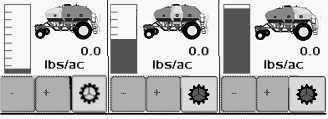
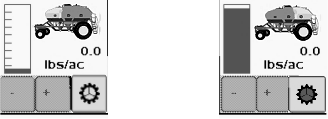
If cart has three tanks but middle tank is not used, select the related two tank cart size. When two tank cart is selected, the middle tank disappears from middle of run screen. An “L” indicates center tank is used for liquid application.
|
Related Cart Sizes |
|||||||
|---|---|---|---|---|---|---|---|
|
Three Tank Carts |
Two Tank Carts |
||||||
|
Cart Size |
Front Tank |
Middle Tank |
Rear Tank |
Cart Size |
Front Tank |
Rear Tank |
|
|
340 |
120 |
70 |
150 |
270 |
120 |
150 |
|
|
430 |
150 |
80 |
200 |
350 |
150 |
200 |
|
|
550 |
200 |
150 |
200 |
||||
Screen Area Information
Air Cart - Air Cart
Configuration - Configuration
Cart - Cart
Size - Size
|
MH69740,0000488-19-20130318 |