Configure Meter Drive Type and Remote Switch
-
A59671-UN-14JAN08Air Cart Button

A59325-UN-19FEB07Primary Menu Button
A59672-UN-14JAN08Configuration Softkey
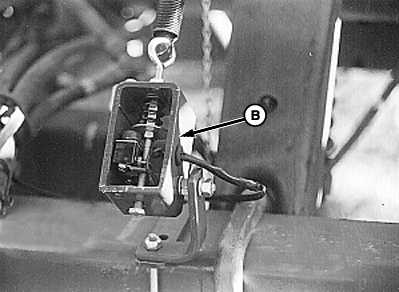
A61838-UN-03JUN09Implement Switch Example
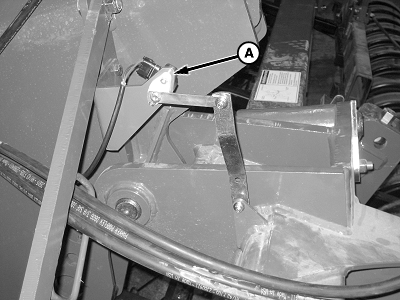
A61839-UN-03JUN09Height Sensor Example
A - Height Sensor
B - Remote Switch
Select primary Menu button >> Air Cart button >> Configuration softkey >> Cart tab. -
Select Variable Rate check box to engage Variable Rate. Leave check box empty to disengage Variable Rate.
-
If tool is equipped with either a Height Sensor (A) or Implement Switch, select one from Remote Switch (B) drop down box.
Screen Area Information
Air Cart - Air Cart
Configuration - Configuration
Cart - Cart
Remote Switch - Remote Switch
None - None
Height Sensor - Height Sensor
Imp. Switch - Implement Switch
Variable Rate - Variable Rate
|
OUO6435,00004CD-19-20110112 |