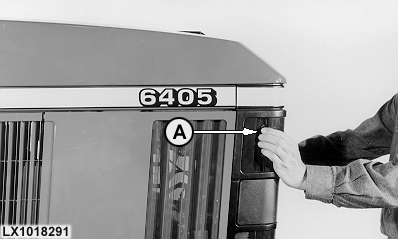
Replacing the Drive BeltPress catch (A) and pull hood forward. |
|
LX,OMASRE015915 -19-01DEC97-1/8 |
|
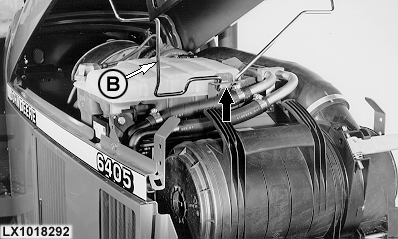
Open hood and engage support (B); see arrow. |
|
LX,OMASRE015915 -19-01DEC97-2/8 |
|
Removing Grille Screens
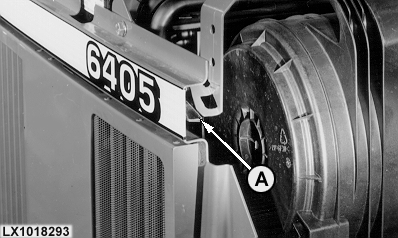
Open hood, push down locking bolt (A) and remove grille screens from the side. |
|
LX,OMASRE015915 -19-01DEC97-3/8 |
|
Removing Fan Guard
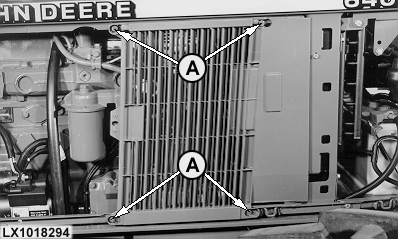
Remove grille screen. Unscrew nuts (A) and remove fan guard from the side. IMPORTANT: Remember to put the fan guard back as soon as the job is completed. |
|
LX,OMASRE015915 -19-01DEC97-4/8 |
|
Relieving Drive Belt
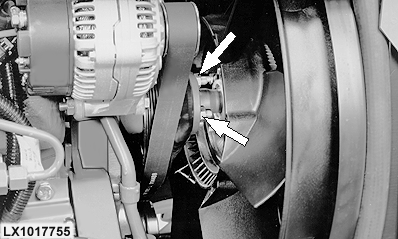
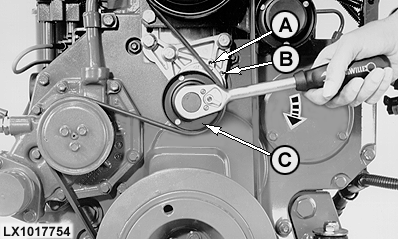
Slacken off the four hex. nuts and push the fan forward. Use a 15 mm (19/32 in.) wrench to turn the cap screw in the idler roll clockwise (see arrow) until the two holes (A) and (B) are aligned. Insert a metal pin with a dia. of 5 mm (0.2 in.) into the two aligned holes. Before tensioning, turn the idle roll a little to relieve the pressure on the metal pin, and then take out the metal pin. The drive belt tensioner returns to its tensioning position automatically.
|
|
 CAUTION:
Disconnect the battery ground cable (-)
CAUTION:
Disconnect the battery ground cable (-)
LX,OMASRE015915 -19-01DEC97-5/8 |
|
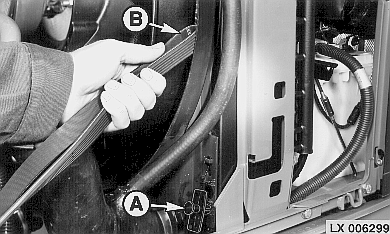
Remove old drive belt from pulleys, and cut. Remove the three expanding plugs (A) of the shroud. Place a loop of the new drive belt (B) between fan and shroud. |
|
LX,OMASRE015915 -19-01DEC97-6/8 |
|
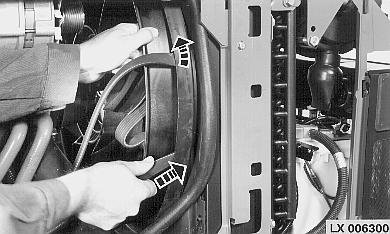
Turn fan while at the same time placing the drive belt around the fan. |
|
LX,OMASRE015915 -19-01DEC97-7/8 |
|
Installing New Drive Belt
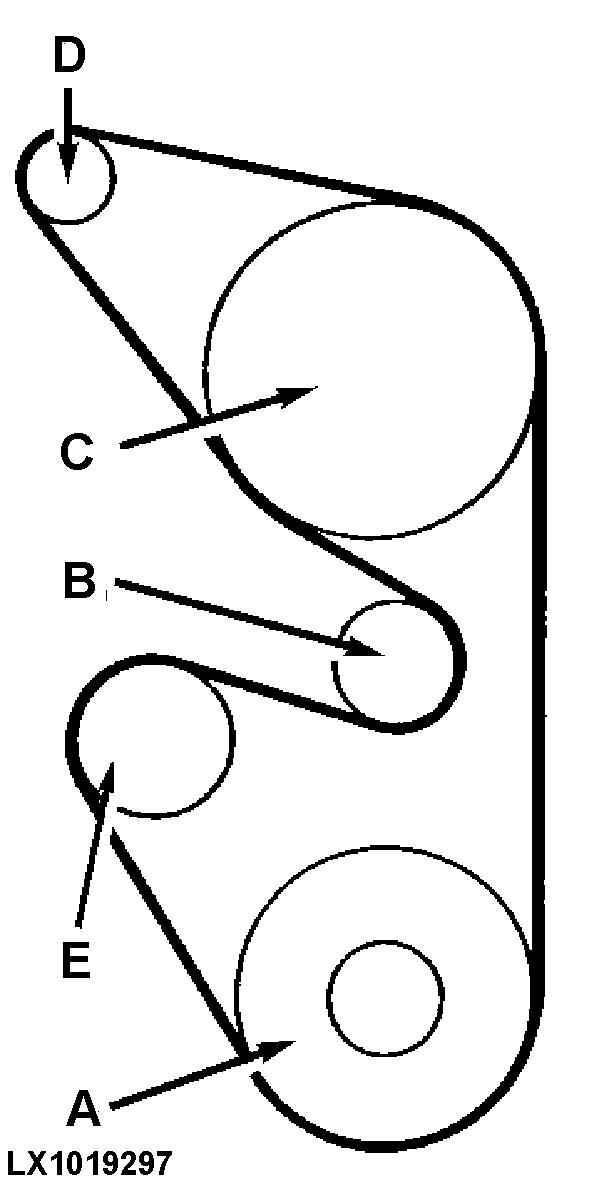
Slacken drive belt tensioner and install drive belt correctly. For further assembly, see "Removing Drive Belt".
|
|
LX,OMASRE015915 -19-01DEC97-8/8 |