Changing the ClimaTrak Display (ATC)
|
|
|
|
|
|
How to change the temperature display from °C to °F and back NOTE: To change the temperature units as described on this page the address BCU024 has to be set to customary units. See "Customization" in the "Diagnostic Trouble Codes" section. 1.
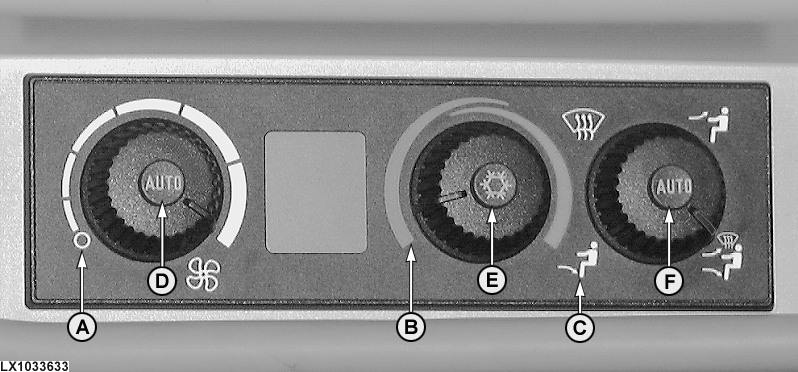
Turn fan speed control to off (A).
|
The LCD display will show the letters DIA after entering change mode. Change the temperature units, either °C or °F, by pressing the button (D) and the button (F) at the same time. Exit change mode by pressing button (D) and button (E) at the same time. |
OU12401,0001072 -19-01APR04-1/1 |