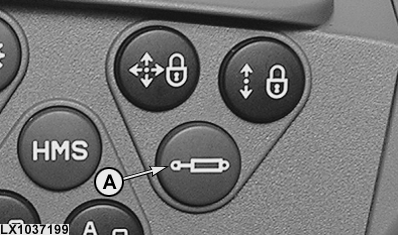
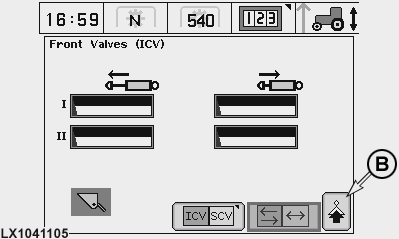
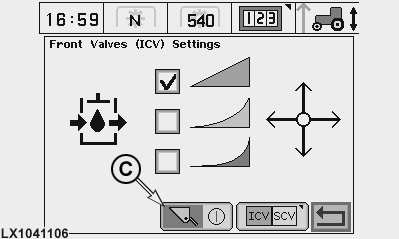
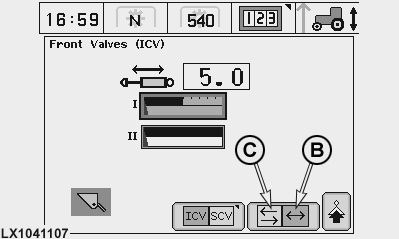
Additional Functions for Electronic Control Valves (E-SCVs and E-ICVs)IMPORTANT: For E-ICVs, make sure that the correct machine (front loader or front-mounted implement) is set. Press the selective control valve button (A) and select ICV, then select next page (B); finally, select or deselect the front loader symbol (C).
|
|
OU12401,0001663 -19-08MAR07-1/5 |
|
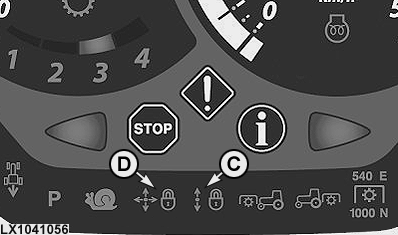
Transport lock
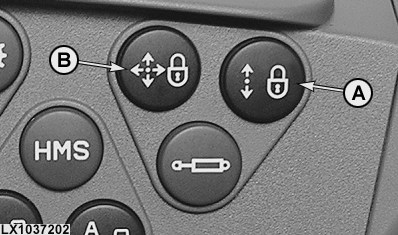
Button (A) permits all the selective control valves (E-SCVs) to be locked at the same time (transport lock). This is indicated by light (C). The control valves all go to neutral. Button (B) permits all the independent control valves (E-ICVs) of the multi-function lever to be locked at the same time (transport lock). This is indicated by light (D). The control valves all go to neutral.
|
|
OU12401,0001663 -19-08MAR07-2/5 |
|
Adjusting the SCV values
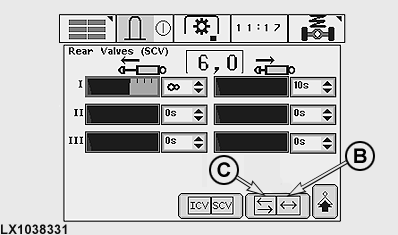
The following values may be set for the E-SCVs and E-ICVs:
Press SCV button (A) and set the desired values at the following screens using the selector wheel. The values for maximum flow can be set in increments of 0.1. The minimum is 0.2, and the maximum 10. The values for the shut-off time can be set in variable increments between 0 and infinity. Infinity means: no automatic shut-off. NOTE: If cell (B) is activated, the set values for maximum flow and automatic shut-off time at each of the SCVs are identical in both directions (extend/retract). If cell (C) is activated, the values for the two directions of movement can be set separately (see illustrations).
|
|
OU12401,0001663 -19-08MAR07-3/5 |
|
Further settings
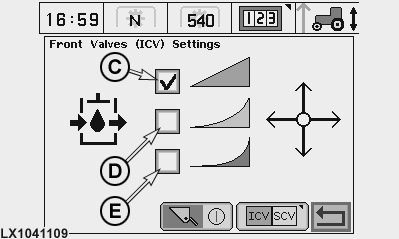
Press SCV button (A), then select next page (B). On this screen, you can set the response characteristics of the SCVs:
In addition, you can select whether or not a front loader or front-mounted implement can be operated via the electrical multi-function lever. IMPORTANT: For E-ICVs, make sure that the correct machine (front loader or front-mounted implement) is set.
|
|
OU12401,0001663 -19-08MAR07-4/5 |
|
Automatic shut-off
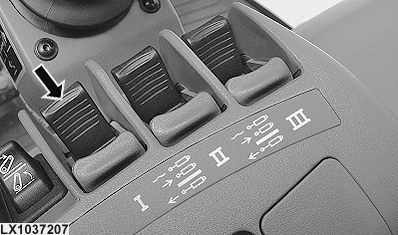
Provided the transport lock is not active and a shut-off time greater than zero is set for the SCV, the following applies: If the SCV control lever (see arrow) is in the maximum extend or retract position and then moved past the point of resistance (a definite click can be perceived), the relevant SCV will be brought to its maximum throughflow position and held there until the set shut-off time elapses. Then the control valve is moved to its neutral position. This procedure is aborted if:
In all above-mentioned cases, the SCV will react according to the movements of the SCV control lever. To re-activate the automatic shut-off, bring the SCV control lever back from beyond the point of resistance and then pass the point of resistance again. |
|
OU12401,0001663 -19-08MAR07-5/5 |