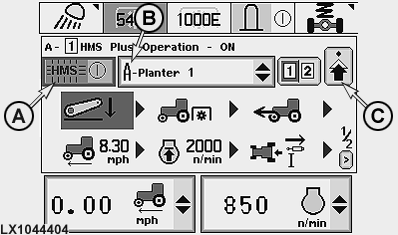
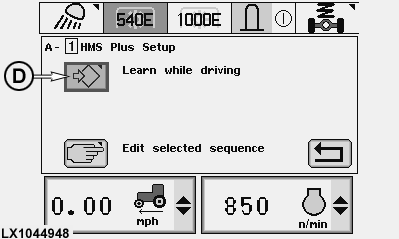
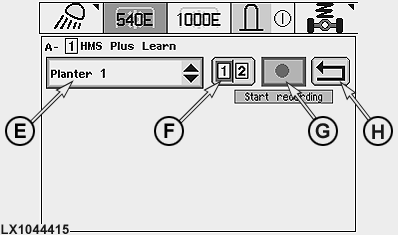
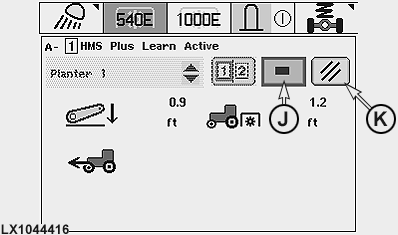
HMS, Programming with Moving Tractor (Learn Mode)On the screen, switch on HMS by actuating cell (A) (the HMS indicator light lights up on the dashboard). In cell (B), select the desired implement memory (A-E) . A suitable implement name can be selected later via cell (E). The HMS select page (edit/learn mode) is displayed after pressing symbol (C). On this page the learn mode can be accessed via symbol (D). From list (E), choose the desired implement and then the desired program (1 or 2) using the program switch or cell (F). To start the recording, select cell (G). If there is a program already saved under this name, it will be lost . With tractor moving in forward direction (travel speed at least 0.5 km/h; 0.31 mph), perform the desired functions. To end the recording, select cell (J). The sequence of functions is now stored as a program. For details regarding the programming process, see next page. "Learned" programs can be altered in the edit mode (with tractor stationary). NOTE: If no tractor function is performed within 60 seconds after recording has started, the learn mode is aborted. Learn mode is also aborted if cell (K) is selected. A program can be deleted completely by choosing cell (G) and immediately afterwards cell (J).
The following applies to the rear PTO function:
|
|
OU12401,000196D -19-19DEC07-1/1 |