HMS, Performing the Stored Programs
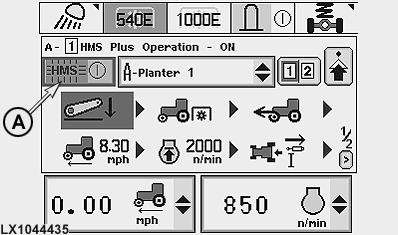
LX1044435-UN-29NOV07
HMS main page
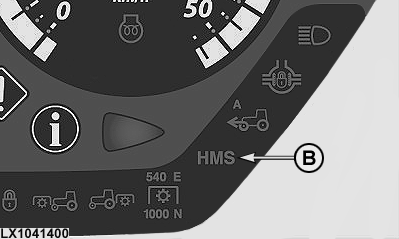
LX1041400-UN-21SEP06
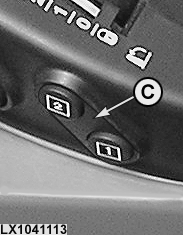
LX1041113-UN-21SEP06
Switch, without CommandArm
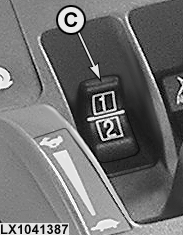
LX1041387-UN-21SEP06
Switch, with CommandArm
A - HMS on/off
B - HMS display light
C - Program switch
NOTE: To enable the recorded programs to be performed, the tractor must be driven at a speed of at least 0.5 km/h (0.31 mph).
When performing programs which include PTO functions, a message is displayed telling the operator to switch on the PTO. HMS cannot physically “turn on” the relevant switches.
Before programs are performed that include selective control valve functions, the relevant levers/switches must be in neutral position.
-
Switch on HMS via cell (A); indicator light (B) comes on.
-
To start the desired program, select “1” or “2” using program switch (C). An alarm signal sounds and the HMS light flashes until the program has been completed.
A program sequence is displayed by highlighting the currently activated function in green.
After a program has ended, the “opposing” program is displayed and its first function is highlighted in green.
A manual intervention can be made in a running program at any time. Such an intervention takes priority. The affected function will be ignored by the HMS for the rest of the program.
IMPORTANT: To abort a program immediately, use program switch (C) to select the “opposing” program (“2” instead of “1” or “1” instead of “2”).
|
OU12401,000175A-19-20071130 |