Controls and DisplaysCommandCenterThe CommandCenter is used to display various tractor functions; it allows the user to change the settings for these functions. In addition, it can display certain calculations (average fuel consumption, area worked, etc). NOTE: The screens on the CommandCenter shown in this Operator's Manual are all in English. The language and units of measurement that actually appear on the tractor can be selected by the operator. |
OU12401,0001990 -19-22SEP08-1/19 |
|
Operating the CommandCenter
The CommandCenter can be operated as follows:
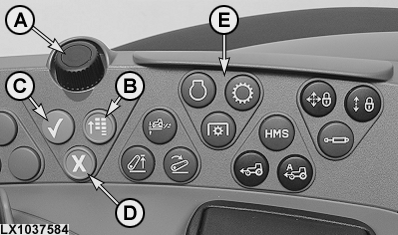
Selection wheel (A) allows you to scroll through the different screen cells. Key (B) gives access to the main menu of the CommandCenter. Key (C) is used to select or confirm an input. Key (D) is used to cancel an input. The functions of keys (E) are explained in the relevant Sections (e.g. Hitch, Power Take-Off, Additional Equipment).
|
|
OU12401,0001990 -19-22SEP08-2/19 |
|
Emergency operation
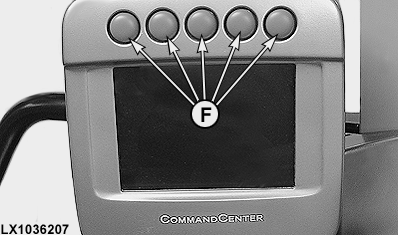
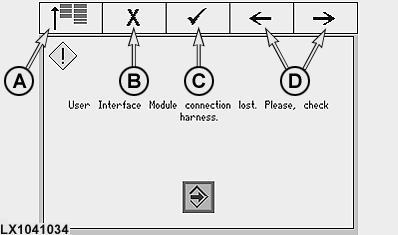
If the connection between the CommandCenter and the regular keys is interrupted, the screen shown opposite appears. The CommandCenter can still be used via the 5 hot keys above the cells shown in the illustration.
|
|
OU12401,0001990 -19-22SEP08-3/19 |
|
Main menu
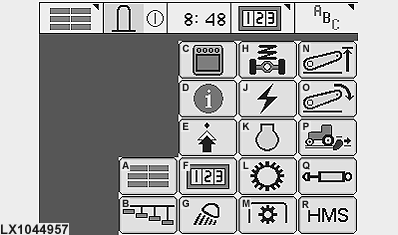
The content of this and subsequent screens is different depending on how the tractor is equipped.
|
|
OU12401,0001990 -19-22SEP08-4/19 |
|
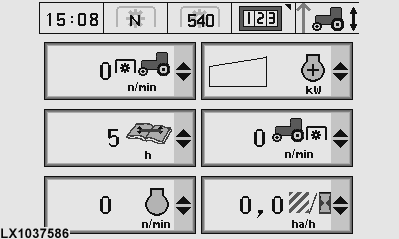
Main screen
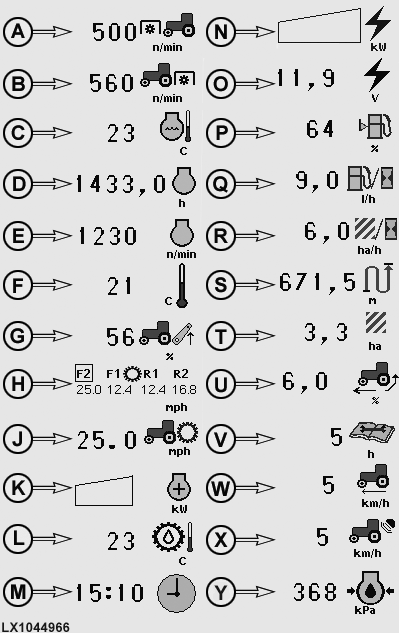
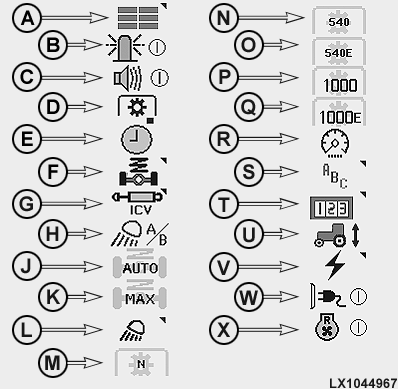
On this screen, six cells are available; they can be assigned any of the symbols in the selection lists. Selection depends on how the tractor is equipped. |
|
OU12401,0001990 -19-22SEP08-5/19 |
|
Main screen - selections
|
|
OU12401,0001990 -19-22SEP08-6/19 |
|
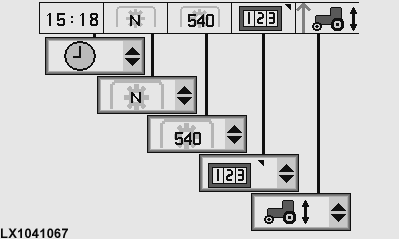
Assignment of hot keys
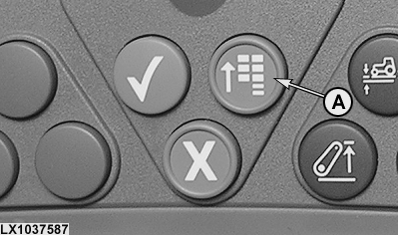
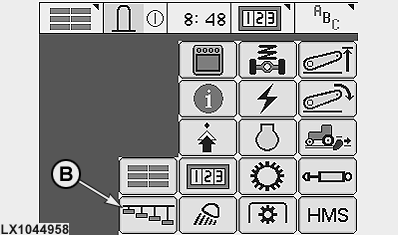
Press the main menu key (A) and select hot keys (B) on the screen. On the following screen, a function may be selected from the selection list for each of the 5 hot keys. The functions depend on how the tractor is equipped.
|
|
OU12401,0001990 -19-22SEP08-7/19 |
|
Hot keys - selection of functions
|
|
OU12401,0001990 -19-22SEP08-8/19 |
|
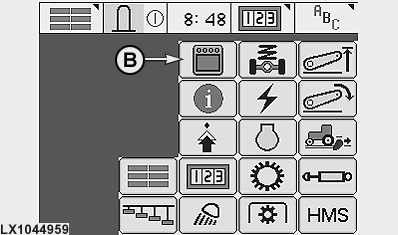
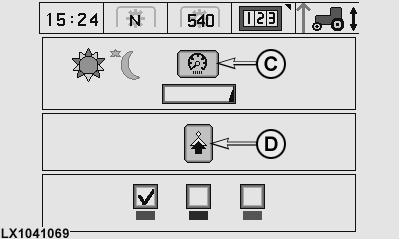
CommandCenter settings
Press the main menu key (A) and select "Display" (B) on the screen. On the following screen, brightness and the highlight color can be selected. Dimming cell (C) considerably reduces the brightness of the display (for night time operation). To reset the brightness to normal, press any key. Symbol (D) gives access to the next screen.
|
|
OU12401,0001990 -19-22SEP08-9/19 |
|
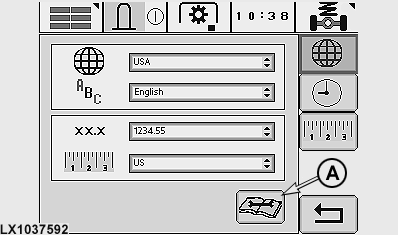
On this screen, the selection lists can be used to select country, language, numeric format and units. Symbol (A) provides access to other screens on which a graphic test, equipment information and copyright details are shown. |
|
OU12401,0001990 -19-22SEP08-10/19 |
|
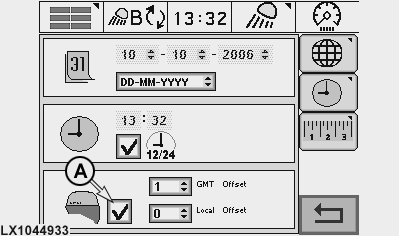
Date and time of day can be set on this screen. If the tractor is equipped with a GPS receiver, cell (A) can be used to determine whether date and time of day are to be synchronized with the GPS signal.
|
|
OU12401,0001990 -19-22SEP08-11/19 |
|
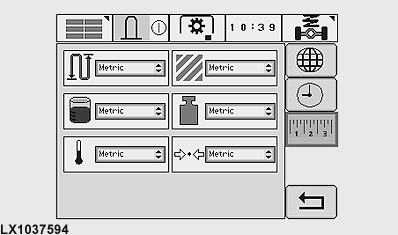
Various units of measurement can be selected on this screen. |
|
OU12401,0001990 -19-22SEP08-12/19 |
|
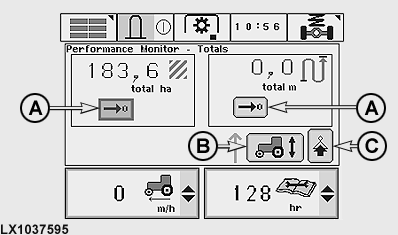
Performance monitor - totals
This screen shows area worked and distance covered. Cells (A) allow the stored values to be set back to zero (the user is first asked if he is sure he wants to make the change). Cell (B) allows manual recording to be started and ended (provided this type of recording is selected under "Performance monitor - Implement Selection"). Cell (C) gives access to the next screen. |
|
OU12401,0001990 -19-22SEP08-13/19 |
|
Performance monitor - settings
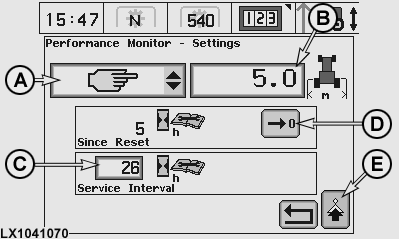
Selection list (A) allows the implement/device to be selected that is required for calculating area. Implement width can be keyed in at cell (B). The service interval can be keyed in at cell (C). During the last 20 hours before reaching this interval a corresponding message will be displayed each time the tractor is started. After a service, the "Since Reset" hour-meter can be set back to zero at cell (D). Cell (E) gives access to screen "Performance Monitor - Calibration". |
|
OU12401,0001990 -19-22SEP08-14/19 |
|
Performance monitor - implement selection
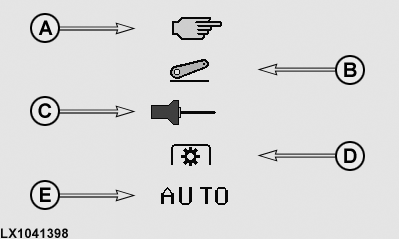
Manual recording can be started and stopped via a cell on the screen "Performance Monitor - Totals". A hot key may also be used to perform this function (see "Hot Keys - Selection of Functions"). For automatic recording, the first implement that is activated starts the recording process. Recording is interrupted as soon as this implement is deactivated. |
|
OU12401,0001990 -19-22SEP08-15/19 |
|
Performance monitor - calibration
Cell (A) gives access to the page shown below.
|
|

OU12401,0001990 -19-22SEP08-16/19 |
|
Performance monitor - zero rear wheel slip
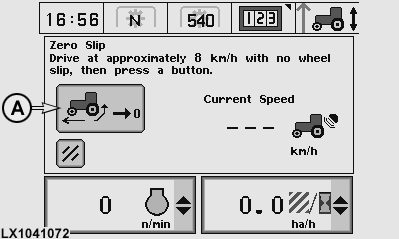
This setting is required after changing the tires or when the tires are bald. Drive tractor at approx. 8 km/h (5 mph) and select cell (A). A message appears saying whether the setting was successful or unsuccessful. |
|
OU12401,0001990 -19-22SEP08-17/19 |
|
E Premium - radiator fan running in reverse
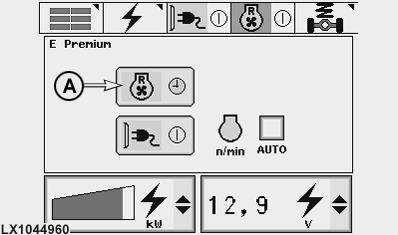
With park engaged and the engine running, select icon (A). The fan now runs in reverse, thus helping to clear dirt off the radiator. NOTE: This function can only be repeated after an interval of approx. 60 seconds (a clock icon appears on the display). This interruption is required to ensure that the engine is cooled normally.
|
|
OU12401,0001990 -19-22SEP08-18/19 |
|
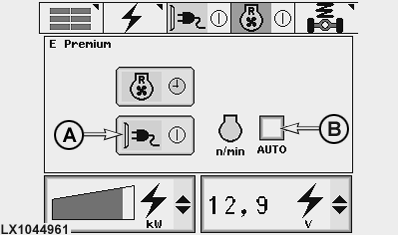
E Premium - activate power generation
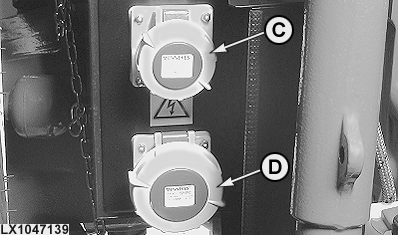
With park engaged and the engine running, select icon (A) to activate power generation. When cell "Auto" (B) is activated, the tractor's engine runs at a higher speed (approx. 1300 rpm) in order to provide maximum electrical power. IMPORTANT: Before using the power outlet sockets, carefully read the instructions in Section 71 "Mobile Power Supply". NOTE: The sockets are monitored by the tractor's electronic system. If a fault occurs, an appropriate message appears on the CommandCenter.
|
|
OU12401,0001990 -19-22SEP08-19/19 |