Access the Engine Menu on the Digital Display
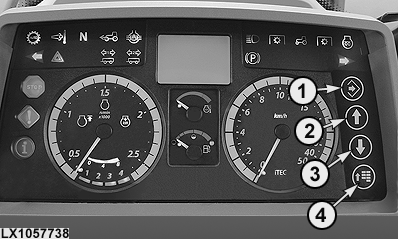
LX1057738-UN-06SEP12
1 - Confirm Button
2 - Up Arrow Button
3 - Down Arrow Button
4 - Menu Button
Press menu button (4) until the first page of the engine menu is displayed. Then press the arrow buttons to access the pages of the engine menu one after the other.NOTE: See also the description under "Digital Display - User Interface" in Section 15.
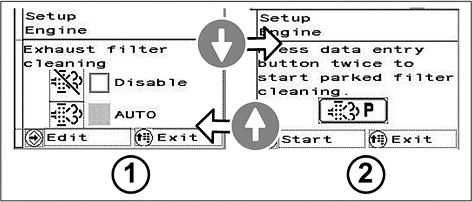
LX1057741-UN-12JUL12
Pages of Engine Menu
1 - Automatic Exhaust Filter Cleaning
2 - Exhaust Filter Cleaning with Tractor Parked
|
OULXBER,0001C7C-19-20120712 |