Vehicle Reprogramming
PC20419-UN-13NOV15
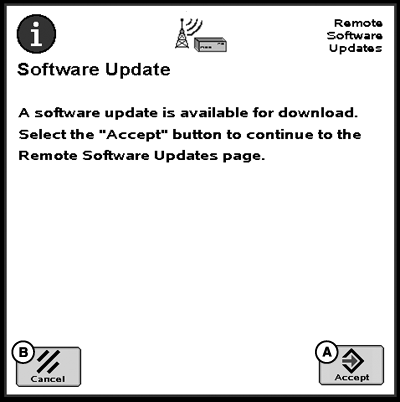
Software Update Available
A - Accept Button
B - Cancel Button
With SAR, dealers have the ability to send new software to a machine to update controllers. Once the dealer sends the software, a message appears on the display stating that there is new software available. Press Accept button (A) to display software updates page.
If the Cancel button (B) is selected, access the page by selecting Remote Software Updates from ISOBUS VT menu.
Download Updates
PC17279-UN-10SEP13
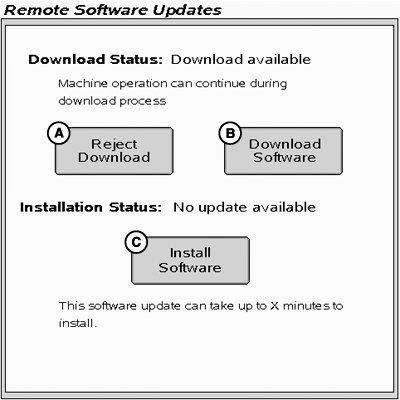
Remote Software Updates
A - Reject Download Button
B - Download Software Button
C - Install Software Button
On the Remote Software Updates page, the operator can either reject (A) or download (B) the new software. Pressing the Download Software (B) button will start the download process. This process will continue in the background and normal machine operation can continue.
Install Updates
PC20420-UN-13NOV15
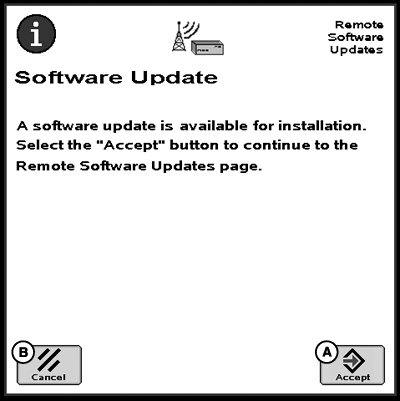
Update Ready for Install
A - Accept Button
B - Cancel Button
Once the software has been downloaded and it is ready for installation, a message will appear on the display. Press the Accept button (A) to go to the Remote Software Updates page.
Software installation can take up to 40 minutes. Pressing the Cancel button (B) enables you to update the software at a later time if desired.
PC12856-UN-07SEP10
PC12672-UN-28JUN10
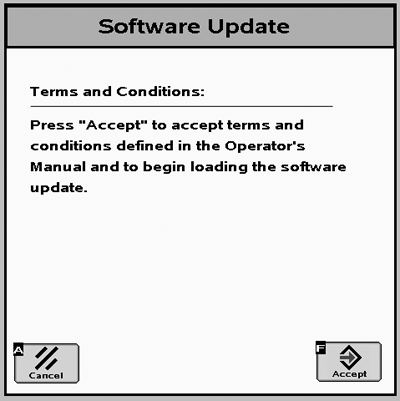
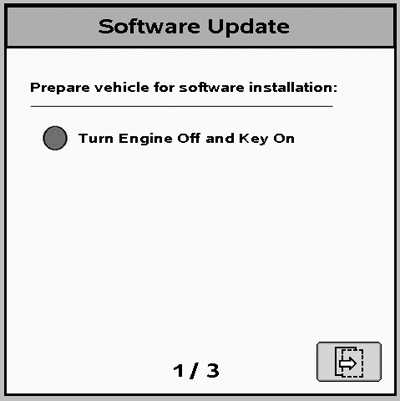
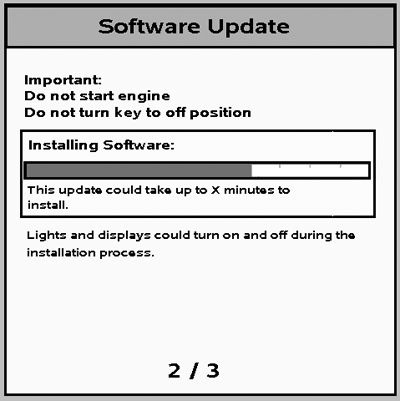
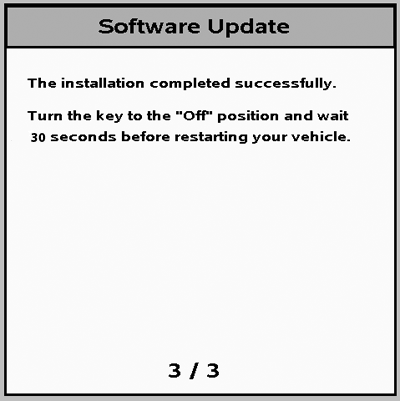
Once prompted, accept the terms and conditions and then follow the onscreen instructions.
 CAUTION: Some vehicle functions, including lights, may become
inoperable during reprogramming. To avoid injury, ensure the vehicle
is in a safe location and configuration before reprogramming. Do not
reprogram near public roadways or in active work sites.
CAUTION: Some vehicle functions, including lights, may become
inoperable during reprogramming. To avoid injury, ensure the vehicle
is in a safe location and configuration before reprogramming. Do not
reprogram near public roadways or in active work sites.
PC17630-UN-10SEP13
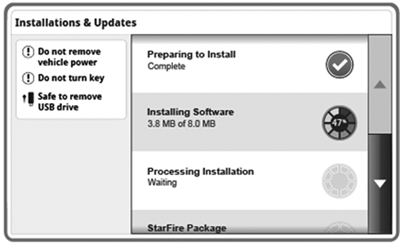
Once display is updated, controller update will begin.
PC12857-UN-07SEP10
PC13582-UN-09MAY11
|
DX,PC,SAR,VEHICLE-19-20151221 |