Lighting System - Headlights
LX1057054-UN-11JUL13
Headlights On (Public Roads)
LX1057015-UN-22JAN14
Side Console
LX1057016-UN-21JAN14
CommandARM™
LX1057017-UN-10JUL13
Light Page in CommandCenter™
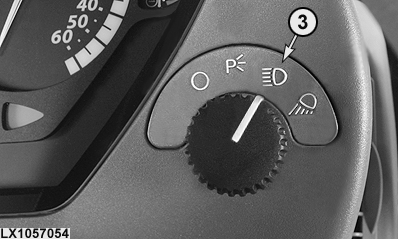
3 - Headlights On
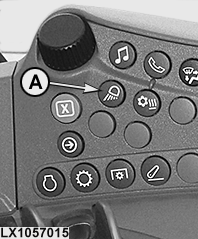
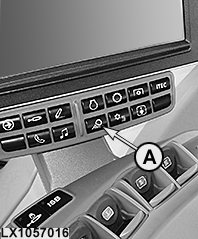
A - Light Button
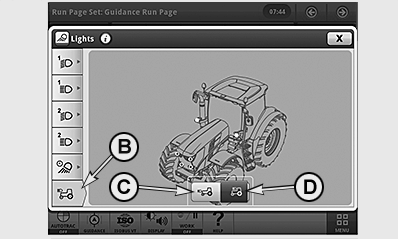
B - Button, Select Headlight Page
C - Button, Headlights (Hood)
D - Button, Additional Headlight (on Cab Frame, Optional)
Turn the light switch to position (3) to switch the headlights on.
NOTE: The light page for the headlights is displayed in the CommandCenter™ for approximately 10 seconds. The operator can directly access the page and modify the settings. If he does not access the page, the display will return to the monitoring screen after approximately 10 seconds.
Additional headlights may be attached to the cab frame.
When headlights are switched on, the operator can choose between normal headlights and the additional headlights (e.g. when front implements are installed).
To do this, access the CommandCenter™ light page via button (A), press button (B) and activate headlights (C) or additional headlights (D).
The selection is saved and remains activated even after the lights are switched off or the engine is shut off.
Close the light page to return to the monitoring screen.
NOTE: When the additional headlights are activated, the indicator light does not come on.
|
OULXA64,0002EE9-19-20130710 |