Intelligent Power Management (power boost)
LX1057073-UN-22JAN14
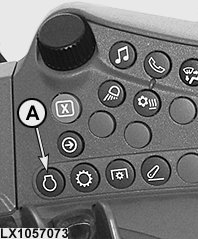
On the Side Console
LX1057074-UN-22JAN14
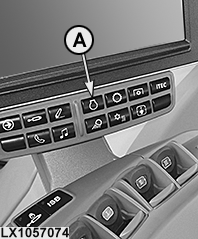
On the Command ARM™
LX1057133-UN-01AUG13
LX1057075-UN-22JUL13
Power Boost
LX1057076-UN-31JUL13
Power Bulge
A - Engine Button
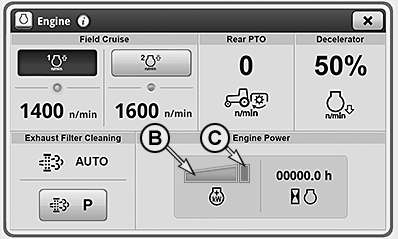
B - Engine Power below Rated Power
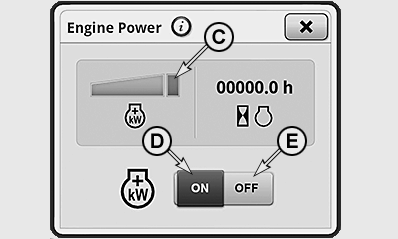
C - Power Bulge above Rated Power
D - Activate IPM Button
E - Deactivate IPM Button
NOTE: Power boost is activated automatically when starting the engine.
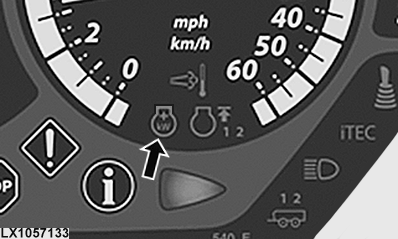
To de-activate or re-activate power boost, press engine button (A), activate icon (B) and make a choice using button (D) or (E). The indicator light (see arrow) lights up while power boost is active.
If power boost is activated at the CommandCenter™, then the following applies:
a) Transport work
The power
boost is provided automatically when travel speed exceeds 15 km/h
(9.3 mph). Maximum power boost becomes available from a speed of 20
km/h (12.4 mph). This power boost persists until the ground speed
drops below 10 km/h (6.2 mph).
b) When work is performed with the rear PTO
When work is performed with PTO-powered devices, the power
boost is provided step by step starting from a travel speed of 1 km/h
(0.6 mph). The power boost is provided only if the tractor electronics
detect a significant power need at the rear PTO. A maximum power boost
first becomes available from a speed of 2.5 km/h (1.5 mph). Here too
the condition is that the load on the rear PTO has to be correspondingly
high.
NOTE: When working with the PTO, the power boost is done basically only if there is a significant power need at the rear PTO.
The power boost depending on the PTO is not available for working with the front PTO.
Engine power display
Fields (B) and (C) display the current engine power (light green or dark green color).
- Field (B) represents the power range up to rated engine power.
-
Field (C) represents the John Deere power bulge (above rated
power).
The power boost achieved by the Intelligent Power Management system for PTO operation and transport work is displayed (dark green color).
- In addition, a + sign appears in the engine symbol on the instrument panel and in the CommandCenter.
|
OULXA64,0002F01-19-20150619 |