Engage Differential Lock
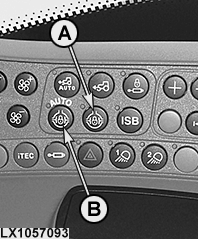
LX1057093-UN-27AUG13
Side Console
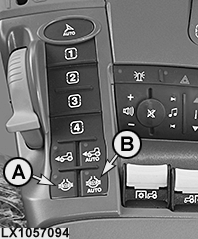
LX1057094-UN-22JAN14
CommandARM™
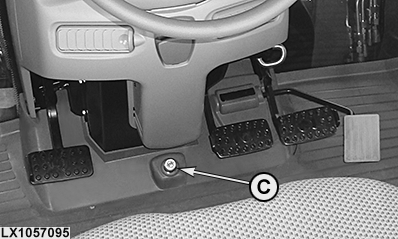
LX1057095-UN-22JUL13
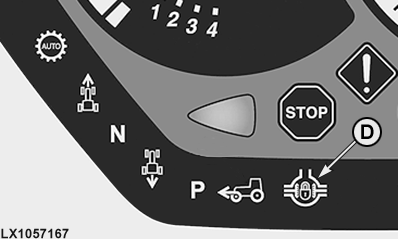
LX1057167-UN-27AUG13
A - Button for Switching the Differential Lock On and Off Manually
B - Button for Switching the Differential Lock On and Off Automatically
C - Knob for Switching the Differential Lock On Manually
D - Indicator Light
 CAUTION: Do not attempt to turn around with differential lock
engaged!
CAUTION: Do not attempt to turn around with differential lock
engaged!
Differential lock, manual switch-on and switch-off
If slippage varies greatly between rear wheels, engage differential lock by means of button (A) or button (C) (only if the difference in speed is not too high).
NOTE: When the differential lock is switched on, indicator lights (A) on the button and (D) on the instrument panel light up.
The differential lock is switched off as follows:
• By actuating button (A) again
• By depressing one or both of the brake pedals
It is the responsibility of the operator to switch the differential lock back on again.
Differential lock, automatic switch-on and switch-off
The function for automatically switching the differential lock on and off can be enabled and disabled using button (B). If the function is active, the indicator light of button (B) lights up and the differential lock is automatically switched on or off depending on the driving situation.
NOTE: If the differential lock activates due to the driving situation, indicator light (D) also lights up on the instrument panel.
NOTE: Automatic engagement and disengagement of the differential lock are available only on tractors equipped with a front-wheel drive axle.
The following driving situations cause the differential lock to switch on or off automatically:
|
Driving situation |
Differential Lock |
|---|---|
|
• Travel speed below 19 km/h (11.8 mph) + Neither of the two brake pedals depressed + Steering angle less than custom shut-off angle1.............. |
ON |
|
• Travel speed is greater than 23 km/h (14.3 mph).............. |
OFF |
|
• One or both brake pedals pressed.............. |
OFF |
|
• Steering angle greater than custom shut-off angle1.............. |
OFF |
Differential lock, automatic engagement and disengagement via custom shut-off angle (if equipped)
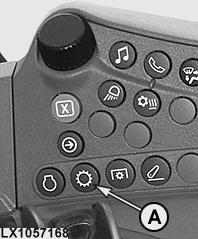
LX1057168-UN-22JAN14
Side Console
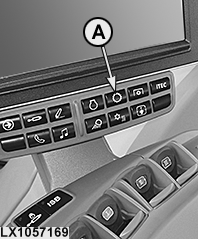
LX1057169-UN-22JAN14
CommandARM™
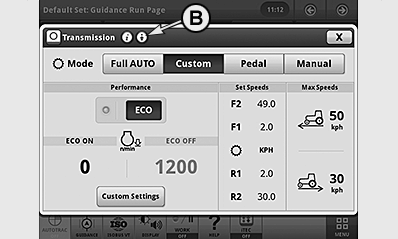
LX1057170-UN-28AUG13
AutoPowr™ Illustrated
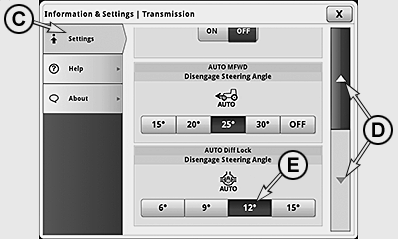
LX1057171-UN-28AUG13
Select tab (C) and use arrow keys (D) to select the relevant input box. Select the desired shut-off angle (E). To save, close this page and close transmission page.
|
1 See custom settings
|
OULXA64,0002F06-19-20151130 |