Auxiliary Home Page (Various Devices)
RXA0132550-UN-28JUN13
Auxiliary Home Page
NOTE: Refer to Select Radio Source with Generation 4 CommandCenter™ page, in this section of this Operator’s Manual, to learn how to navigate to Auxiliary home page.
Connect USB using USB port, located on right-hand console/storage tray, to play stored music. For more information, refer to External Sources (Premium Radio) page in the section of this Operator’s Manual.
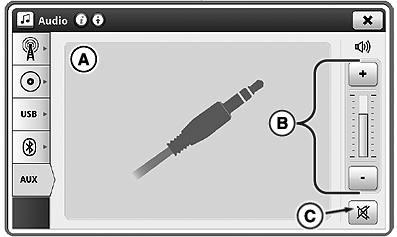
A—Display Area:Displays image shown. Activity/Information displays on external device only, not on CommandCenter™ display.
B—Volume Adjustment: Adjust volume.
C—Mute: Mute sound.
|
CommandCenter is a trademark of Deere & Company |
OULXA64,0003040-19-20160229 |