Rear Hitch - Set the Raise Height Limit
-
Press rear hitch button (A).
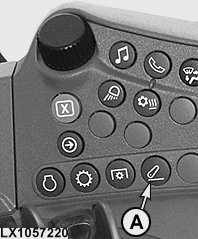
LX1057220-UN-22JAN14Side Console
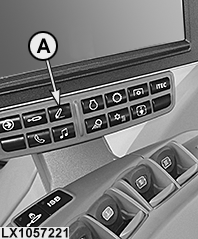
LX1057221-UN-22JAN14CommandARM™
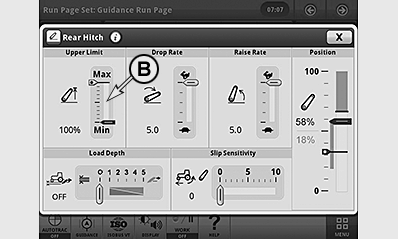
LX1056990-UN-24NOV14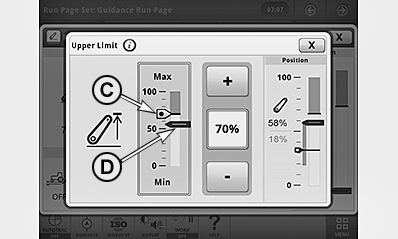
LX1057237-UN-09SEP13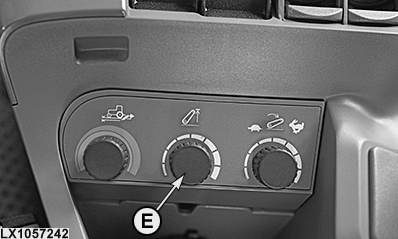
LX1057242-UN-09SEP13With CommandARM™ only
A - Rear Hitch Button
B - Raise Height Limit Indicator
C - Raise Height Limit
D - Current Position of Rear Hitch
E - Control Knob, Raise Height Limit1
-
Select display field for raise height limit (B).
-
Use the +/— buttons to set the desired raise height limit (C).
NOTE: Changes to the raise height limit take place immediately.
NOTE: The raise height limit of the hitch can be set directly at control knob1 (E).
If the raise height limit (C) is set below the current hitch position (D), the hitch follows raise height limit (C).
|
1 With CommandARM™ only
|
OULXA64,000308F-19-20141124 |