Rear Hitch - Adjust the Rate-of-Drop
IMPORTANT: Excessive rate of drop may cause personal injury or machine damage. Fully lowering the implement should require at least 2 seconds.
-
Press rear hitch button (A).
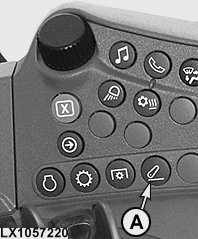
LX1057220-UN-22JAN14Side Console
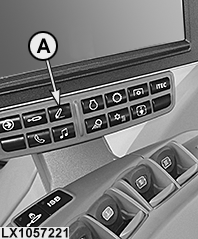
LX1057221-UN-22JAN14CommandARM™
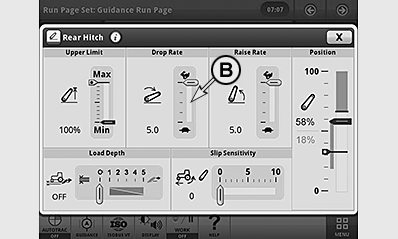
LX1056991-UN-24NOV14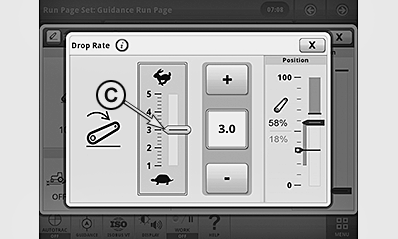
LX1057238-UN-09SEP13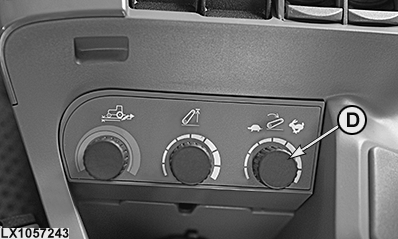
LX1057243-UN-09SEP13With CommandARM™ only
A - Rear Hitch Button
B - Rate of Drop Indicator
C - Adjust the Rate of Drop
D - Rate of Drop Control Knob1
-
Select display cell for rate of drop (B).
-
Use the +/— buttons to set the desired rate of drop (C).
NOTE: Changes to rate of drop are effective immediately.
NOTE: Changes can be made to rear hitch rate of drop directly at control knob1 (D).
|
1 With CommandARM™ only
|
OULXA64,0003091-19-20141124 |