Rear Hitch - Draft/Depth Control Adjustment
NOTE: Draft/Depth control adjustment changes the draft responsiveness only. Operating depth is set with the depth control lever.
-
Press rear hitch button (A).
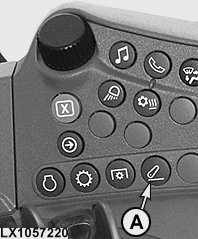
LX1057220-UN-22JAN14Side Console
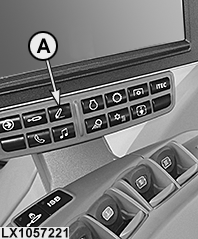
LX1057221-UN-22JAN14CommandARM™
LX1056993-UN-24NOV14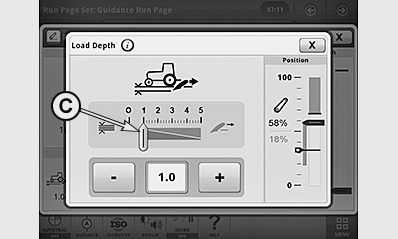
LX1057480-UN-01DEC14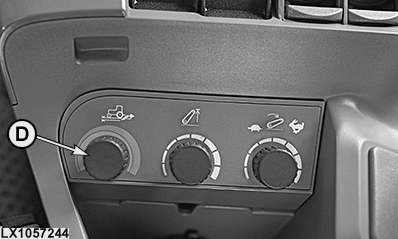
LX1057244-UN-09SEP13Control Knob for Load/Depth Control only with CommandARM™
A - Rear Hitch Button
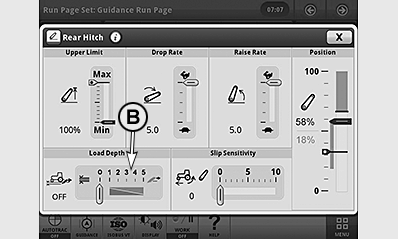
B - Draft/Depth Control Display
C - Draft/Depth Control Adjustment
D - Control Knob for Draft/Depth Control1
-
Select display field for draft/depth control (B).
-
Use the +/— buttons to set the desired draft/depth control (C).
- A zero setting actives the depth control. See “Using Position Control”.
- Higher settings are used for draft control. See Using Draft Control in this section.
NOTE: Draft/Depth control can be adjusted directly using control knob1 (D).
|
1 With CommandARM™ only
|
OULXA64,0003093-19-20161012 |