Rear PTO — Select Standard Speed (Shiftable PTO)
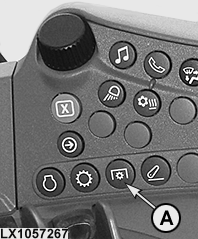
LX1057267-UN-22JAN14
Side Console
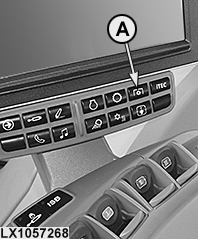
LX1057268-UN-22JAN14
CommandARM™
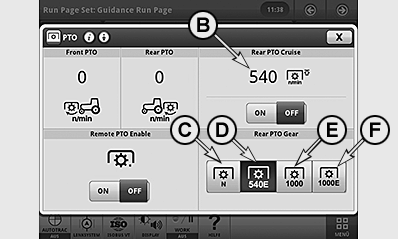
LX1057269-UN-10SEP13
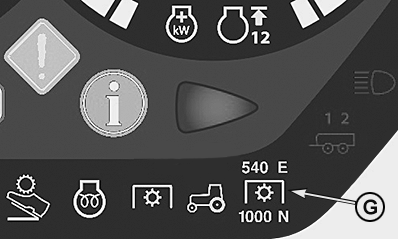
LX1057270-UN-10SEP13
A - PTO Button
B - Standard Speed Activated
C - PTO Speed Neutral
D - PTO Speed 540E
E - PTO Speed 1000
F - PTO Speed 1000E
G - Indicator Lights for PTO Speeds
 CAUTION: Before engaging the PTO, make sure that selected PTO
speed is correct for the implement attached. Incorrect speed could
result in severe damage to the implement.
CAUTION: Before engaging the PTO, make sure that selected PTO
speed is correct for the implement attached. Incorrect speed could
result in severe damage to the implement.
Danger of accidents!
The PTO is engaged and disengaged as described under Operating Power Take-Offs. The PTO must be disengaged to select standard PTO speed.
Press button (A) and select the desired speed on the PTO page (e.g. 540E). To do this, select relevant PTO speed (C) to (F) to activate the desired PTO speed. The selected PTO speed (B) appears in the display window and can be activated or deactivated using the ON/OFF buttons.
The selected PTO speed is indicated by lights (G).
CAUTION: The engine must be shut off when an implement is being
connected.
|
OULXA64,000309C-19-20130910 |