Rear PTO — Fine Adjustment of PTO Speeds (Shiftable PTO)
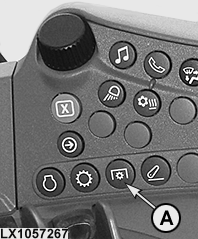
LX1057267-UN-22JAN14
Side Console
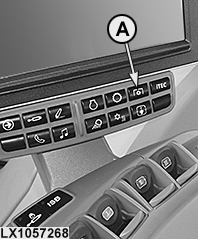
LX1057268-UN-22JAN14
CommandARM™
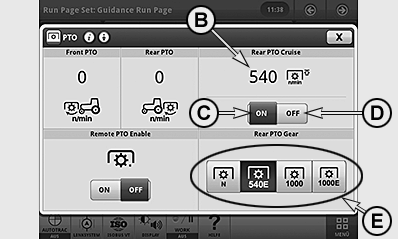
LX1057271-UN-10SEP13
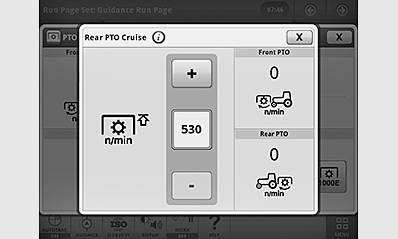
LX1057272-UN-10SEP13
Set Max. PTO Speed
A - PTO Button
B - Standard Speed Activated
C - Max. PTO Speed Active
D - Max. PTO Speed Disabled
E - Standard Speed
Press button (A) and select the desired standard speed on the PTO page (e.g. 540E). If desired, maximum PTO speed (B) may be set. To do this, actuate display field (B) and use the +/— buttons in the context menu to input the desired max. PTO speed. Close the page and press button (C) to activate max. PTO speed.
When max. PTO speed is activated, engine speed is restricted so that the set PTO speed is not exceeded even at full throttle. When the PTO is switched off, the engine can be operated over its full speed range again.
NOTE: When the PTO speed is changed, the newly selected maximum PTO speed is automatically activated.
If an engine speed limit is set on the engine timing page (see Settings in the relevant Operating the Tractor section), the lower setting applies.
|
OULXA64,000309D-19-20140801 |