iTEC™ - Execute Programmed Sequence

RXA0131089-UN-26FEB13
Menu →Tractor Settings Tab → iTEC™ Icon
RXA0130323-UN-29JAN13
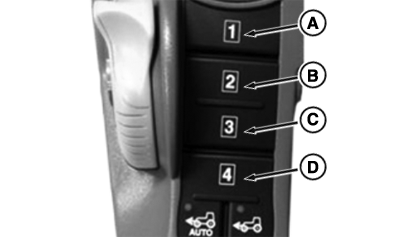
CommandARM™ Sequence Switches
LX266950-UN-25AUG16
RXA0131608-UN-26MAR13
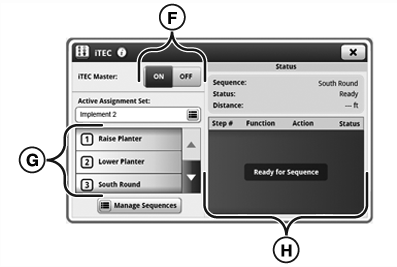
iTEC™ Main Page
A - Sequence Button 1
B - Sequence Button 2
C - Sequence Button 3
D - Sequence Button 4
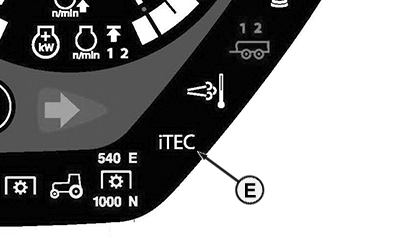
E - iTEC™
F - Master Toggle
G - Assignment List
H - Status Area
NOTE: Tractor can not be in Park position while executing sequence. Tractor drive lever must be in forward position when executing set speeds, gears, or Automatic Gear Shift. Tractor must be driven at speed of at least 0.5 km/h (0.31 mph).
If a PTO function is included in a sequence, the PTO must be engaged manually using the PTO switch (first time only). Before performing sequences that include SCV functions, the relevant levers must be in neutral position.
-
Select Menu.
-
Select Tractor Settings tab
-
Select iTEC™ icon.
-
Turn Master Toggle (F) to ON position.
-
Select Sequence button (A-D) on CommandARM™ for desired sequence.
-
Sequence steps appear in Status Area (H) and progression of steps is displayed.
-
Ongoing sequence can be aborted at any time by pressing same Sequence button (A-D) again.
NOTE: While a sequence is being executed, a function can be actuated manually at any time without execution of the sequence being interrupted. Functions that are actuated manually are ignored by iTEC™ for remainder of sequence. The relevant alert appears on icon for this function in Status Area (H).
|
OULXA64,00030D7-19-20160825 |