Change Pages and Values
LX1057487-UN-05DEC14
Input Boxes
RXA0130123-UN-23APR13
Menu
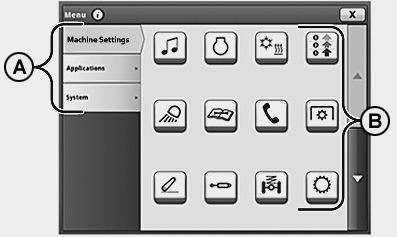
Various methods are provided to allow selection and modification of CommandCenter™ pages and values.- A – Section Tab: To switch to a different section, click on the tab for the desired section.
- B—Icons:Select to open application.
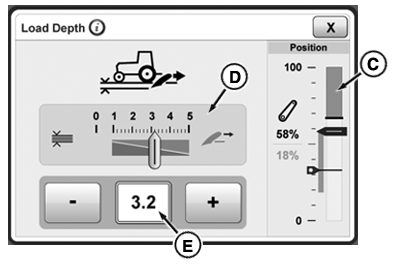
- C—Bar Graph:To change a value, use the increase (+) or decrease (-) buttons.
- D—Slider Bar:To change a value, select slider bar module and use the increase (+) or decrease (-) buttons.
- E – Input Box:Use the increase (+) or decrease (-) buttons to set a value. To enter new values or text, select the desired input box.
NOTE: When changing values using the adjusting dial, increasing the speed of the adjusting dial rotation also increases the speed of value changes.
If a large range of values is available, a numeric keypad appears, allowing direct input of desired value.
|
CommandCenter is a trademark of Deere & Company |
OULXA64,0003138-19-20141204 |