Rear Hitch - Setting Locking Height of the Stabilizer Bar (If Equipped)
-
Press rear hitch button (A).
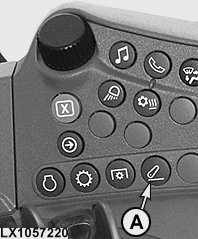
LX1057220-UN-22JAN14Side Console
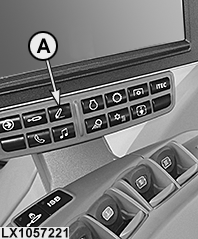
LX1057221-UN-22JAN14CommandARM™
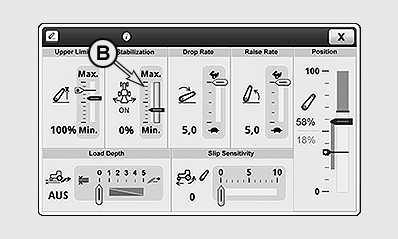
LX1056995-UN-24NOV14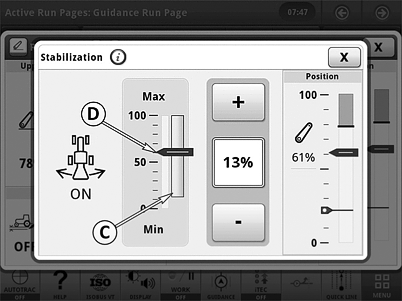
LX1057415-UN-01JUL14A - Rear Hitch Button
B - Display for Locking Height of the Stabilizer Bars
C - Locking Height of the Stabilizer Bars
D - Current Hitch Position
-
Select the display for the locking height of the stabilizer bars (B).
-
With the +/— buttons, set the desired locking height (C) beyond which the stabilizer bars are to be locked.
NOTE: Changes to the rear hitch stabilization immediately take effect.
|
OULXA64,000319D-19-20141124 |