Clear Favorites and Call History
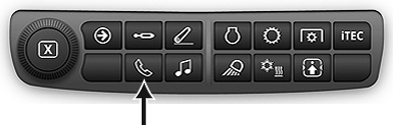
RXA0133719-UN-16JUL13
Phone Shortcut Button on Navigation Bar

RXA0147944-UN-13APR15
Advanced Settings Icon → Settings tab
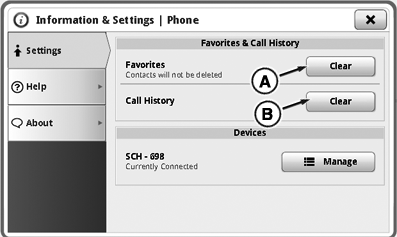
RXA0147732-UN-30MAR15
Phone Information & Settings Page
A - Clear Favorites Button
B - Clear Call History Button
Use phone advanced settings to clear favorites and call history. Contacts will be cleared on CommandCenter™ display only, not on phone.
- Select Phone Shortcut button on Navigation Bar.
- Select “Advanced Settings” icon.
- Select “Settings” tab.
- Press clear favorites button (A) to delete favorites. Phone contacts will not be deleted.
- Press clear call history button (B) to delete call history.
|
CommandCenter is a trademark of Deere & Company |
OULXA64,0003BDB-19-20160229 |