RTP - Shortcut Keys and Run Page
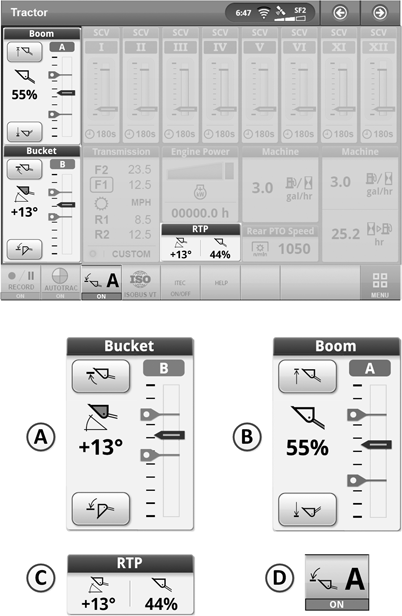
LX211130-UN-13MAY14
The Layout shown here is only an Example
Shortcut keys and run pages are set up by means of the Layout Manager. See “CommandCenter™“ section.Various modules are available for individual configuration of the run page.
Modules and their functions:
A - Offers quick access to the boom Setpoints and graphically
displays current position.
B - Offers quick access to the bucket Setpoints and
graphically displays current position.
C - Offers quick access to the return-to-position page
and indicates the value for current position of the boom and bucket.
D - Permits RTP function (automatic return-to-position)
to be switched on and off. The letter on the display stands for the
setpoint range that is currently active (A or B).
|
OULXBER,00023DE-19-20150807 |