Two-Piece Front Axle — Notes on Adjusting the Steering Stop
IMPORTANT:
LX1053442-UN-23MAY12
LX1056914-UN-27JUN13
Steering Stop AL180127 for Narrower Tread Widths
Settings listed are approximate, due to variations in tire size.IMPORTANT: Steering stop AL180127 can be used for setting narrower tread widths.
IMPORTANT: The required adjustment values of the steering stops are listed in the table “Two-Piece Front Axle — Adjust the Pivoting Fenders and Steering Stop” of the relevant front axle. Refer to this section.
-
Adjust fenders (if equipped) and the tread widths before setting the steering stops.
-
The correct position of the steering stops for the tire size and tread width are listed in the table “Two-Piece Front Axle — Adjust the Pivoting Fenders and Steering Stop” of the relevant front axle.
-
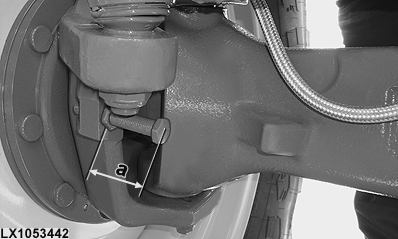
Measure the length of screw (a) as shown; this will bring the steering stops to their correct position. A depth of at least 10 mm (0.4 in.) to which the steering stops are screwed in must be ensured.
If the length of the steering stops is not sufficient, the stop extension AL180127 can be used. Contact an authorized dealer for this.
-
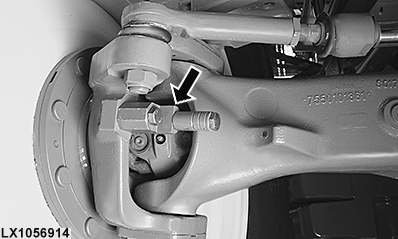
Tighten the retaining nuts of the steering stops to the specified torque.
Item Measurement Specification Steering Stop Retaining Nuts Torque 90 ± 10 N·m (67 ± 7 lb.-ft.) -
Turn wheel fully to the right. Impact the knuckle housing against the steering stop five times. Repeat for left side.
-
Tighten the steering stop retaining nuts to the specified torque once again.
-
Verify clearance by turning steering wheel fully to the left and then to the right.
IMPORTANT: After every adjustment, check to see that the required clearances are kept. See “Prevent Front Wheel or Fender Contact with Tractor Components” in this Section.
|
OULXA64,000375E-19-20160413 |