CommandQuad™ PLUS — Set the Reverse/Forward Speed Ratio
LX266678-UN-16DEC15
LX1056690-UN-04JUL12
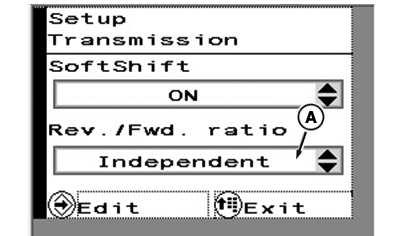
A - Ratio for Reverse/Forward Speed
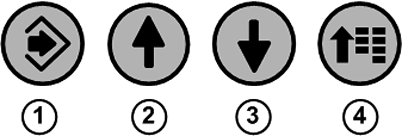
1 - Confirm Button
2 - Up Arrow Button
3 - Down Arrow Button
4 - Menu Button
This function allows a different travel speed to be selected automatically when direction of travel is changed. This will be achieved by shifting gears. The ratio between forward and reverse speed can be set between +3 and -3.
When changing the direction of travel, there is a shift of gears up or down by one, two, or three stages, depending on the setting, however only within the engaged range.
To set the ratio, press menu button (4) repeatedly until the page shown appears.
With arrow buttons (2) or (3), select the desired check box (A) and press the confirm button (1).
Use the arrow buttons to select the desired setting.
Save selection using the confirm button.
To exit press menu button (4).
|
OULXA64,0003B09-19-20151221 |