CommandQuad™ PLUS – Set Engine Speed Reduction (Custom Setting)
LX1056690-UN-04JUL12
LX266673-UN-15DEC15
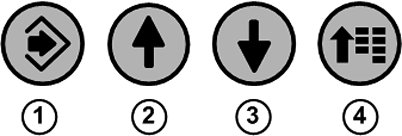
1 - Confirm Button
2 - Up Arrow Button
3 - Down Arrow Button
4 - Menu Button
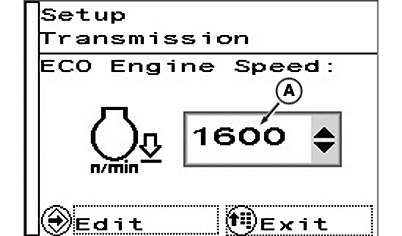
A - Minimum Engine Speed
This function allows fuel economy to be improved. If the speed commanded by the accelerator pedal or hand throttle has been reached, the engine speed that is required to maintain travel speed will be reduced automatically.NOTE: Custom settings have no effect on the automatic mode.
Input box (A) allows a minimum engine speed to be set which will not be reduced any further by the engine speed reduction function.
NOTE: The value can be incrementally configured from 1200 rpm to 2100 rpm.
Default speed in automatic mode is 1200 rpm.
To set a minimum engine speed, press menu button (4) repeatedly until the page shown appears.
With the arrow buttons (2) or (3), select the input area and press the confirm button (1).
Use the arrow buttons to set the desired minimum engine speed.
Save selection using the confirm button.
To exit, press menu button (4).
|
OULXA64,0003B07-19-20180816 |