CommandQuad™ PLUS - Start Gears
|
Groups |
Possible start gears |
|
A, B, C, D |
1 to 4 |
|
B-E (for transmissions with 5 ranges) |
B1 to D4 |
|
B-F (for transmissions with 6 ranges) |
B1 to D4 |
Example: If B3 is selected as the start gear for the BCD(E) range, anytime the BCD(E) button is selected, the transmission defaults to gear B3. The operator can shift to any range and gear between B1 and D4 from there, but the launch point is what the operator has programmed.
LX1056690-UN-04JUL12
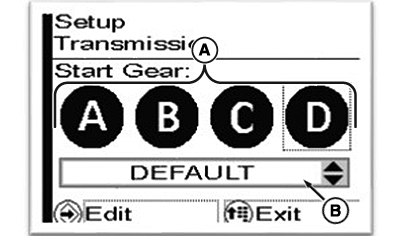
LX266680-UN-16DEC15
Start Gear for Ranges A to D Shown on 24/24 Transmissions
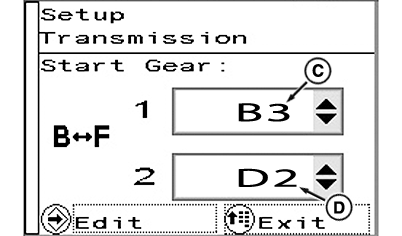
LX266681-UN-16DEC15
Start Gears for Range BF Shown on 24/24 Transmissions
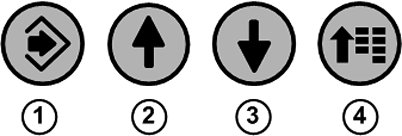
1 - Confirm Button
2 - Up Arrow Button
3 - Down Arrow Button
4 - Menu button
A - Select a Gear
B - Set the Start Gear
C - Set/Select Start Gear “1”
D - Set/Select Start Gear “2”
-
Press menu button (4) repeatedly until the page shown appears.
-
With arrow buttons (2) or (3), select checkbox (A) and press confirm button (1).
-
Use the arrow buttons to select the desired setting (B).
-
Save selection using the confirm button.
-
To exit, press menu button (4).
|
OULXA64,0003BB1-19-20190628 |