Engaging Rear PTO
 CAUTION: Always disengage the PTO when not in use.
CAUTION: High-inertia implements do not come to a standstill
the moment a PTO is shifted to the disengaged position. Do NOT approach
the implement while it is coasting down. Do not work on the implement
until it has stopped.
NOTE: On tractors with PowrQuad™ Plus, AutoQuad™ Plus and CommandQuad™ Plus transmissions, the electronic SoftShift has to be switched off during PTO operation.
See Settingsfor the following transmissions:
• PowrQuad™ Plus transmission in Section 50F
• AutoQuad™ Plus transmission in Section 50G
• CommandQuad™ Plus transmission in Section 50H
-
To switch on the PTOs, press switch (A) down and then forward.
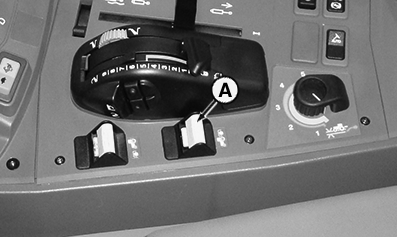
LX314931-UN-30JUN17Tractor with Cab Shown
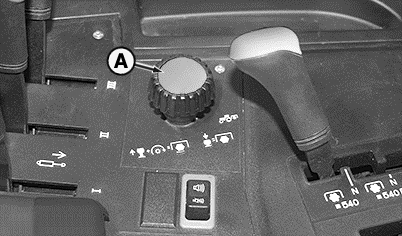
LX315195-UN-14SEP18A - Rear PTO Switch
-
The PTO starts to rotate and indicator lights (B) and (C) light up.
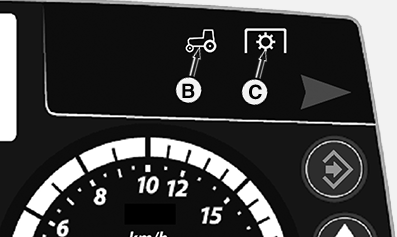
LX314932-UN-30JUN17B - PTO Indicator Light
C - Rear PTO Indicator Light
-
Current speed (D) of the PTOs is displayed on the PTO page of the digital display.
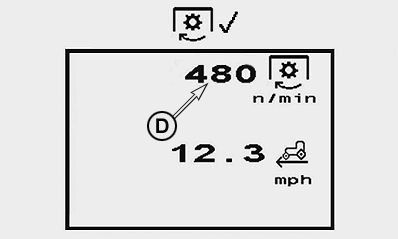
LX1056706-UN-11JUL12Speed with PTO Engaged
D - PTO Speed (rpm)
-
To switch off the PTOs, pull switch (A) back.
-
Indicator lights (B) and (C) go out.
NOTE: If the engine is shut off and then restarted while the PTO is running, the PTO will not operate.
To continue working, disengage the PTO and engage it again.
|
OULXA64,OOS,00049B9-19-20180914 |