Calibrating Radar-Instrument Panel
|
|
|
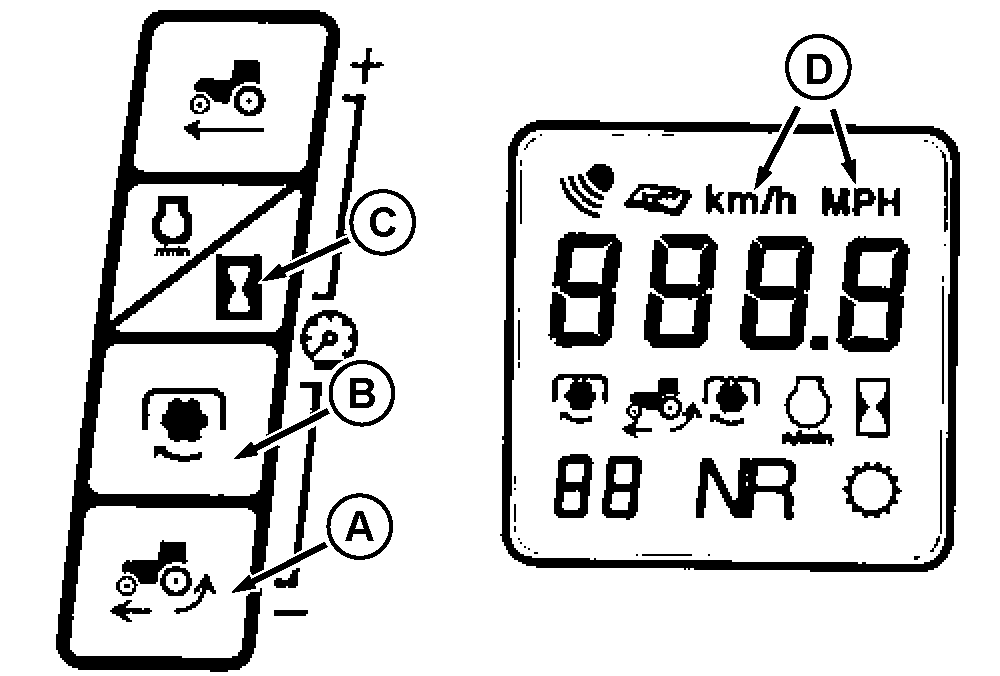
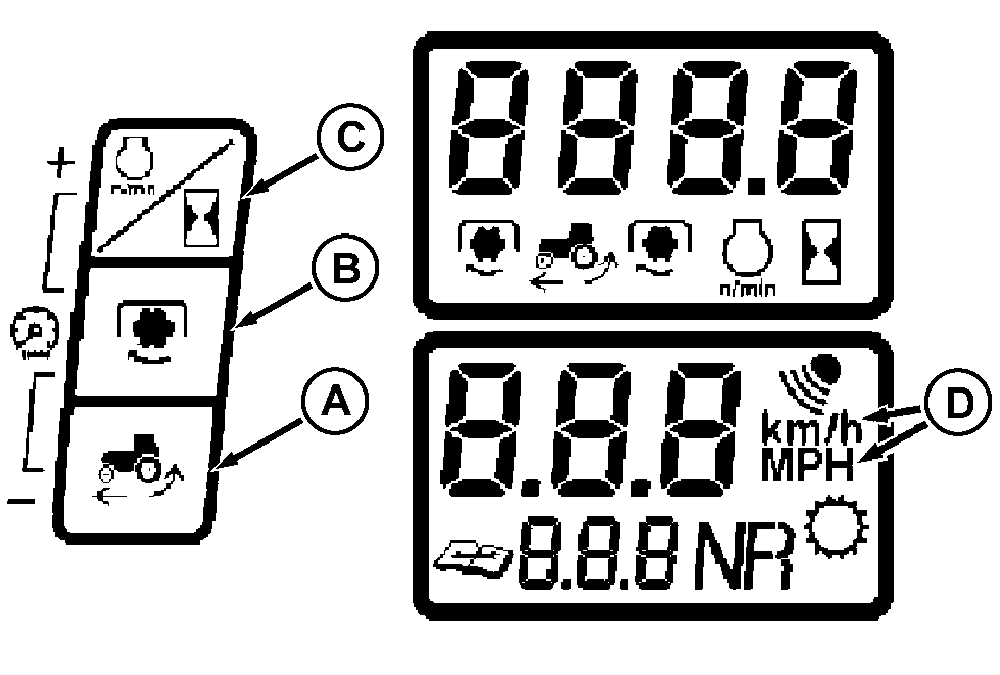
NOTE: Changing tire size or loading of tractor can cause angle of radar to change making it necessary to calibrate the radar system. Mark a straight-line course of 122 m (400 ft). Press and hold simultaneously switches (A), (B), and (C). Software identification is first displayed, then digital display (D) will flash back and forth between km/h and MPH with three dashes. Drive tractor at approximately 3.2 km/h (2 mph) and press switch (A) when crossing the first mark of the |
course. A series of numbers will continue to flash while driving the course.
NOTE: Do not backup if end point is exceeded. Return to starting point and repeat procedure. Press switch (A) when crossing the second mark of the course. "CAL" will be displayed for a few seconds. When display flashes back and forth between 122 m and 400 ft, calibration is complete. |
AG,RF30435,2609 -19-14JAN00-1/1 |