Operating The Implement Management System (IMS)
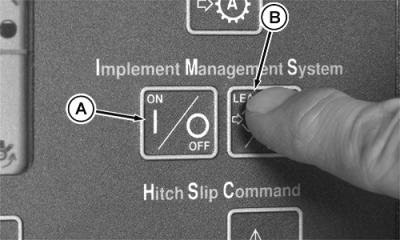
A stored high gear in a learned sequence could initiate rapid shift changes when activating IMS. Clear IMS sequence after application is completed. (See Clearing IMS Sequence in this section.) Accidental use of IMS could cause unexpected tractor or implement movement. NOTE: Press IMS ON/OFF switch to OFF, then ON to view the functions programmed in the two sequences. 1.
Press
ON/OFF
switch (A).
|
|
 CAUTION:
Avoid possible injury and loss of tractor control.
CAUTION:
Avoid possible injury and loss of tractor control.
AG,RX15494,2691 -19-27OCT99-1/2 |
|
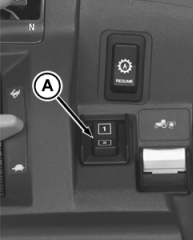
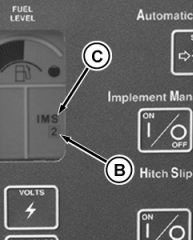
Press SEQUENCE 1 or SEQUENCE 2 switch (A) on armrest control. Indicator light (B) will show the sequence being learned and an audible signal will sound. NOTE: Depressing the clutch pedal during a learn mode allows several functions to be performed at the same time. 4.Perform desired functions. Press LEARN/SAVE switch to store the functions and end the learning mode. Sequence number indicator will stop flashing. IMS indicator light (C) will remain on. NOTE: Depressing the clutch pedal during a sequence will suspend the remaining functions until clutch pedal is released. 6.Press the desired sequence switch and the sequence of learned events will begin. When sequence concludes, the sequence number (B) will no longer display. |
|
AG,RX15494,2691 -19-27OCT99-2/2 |