Changing Display Functions-Tractors With Cab
|
|
|
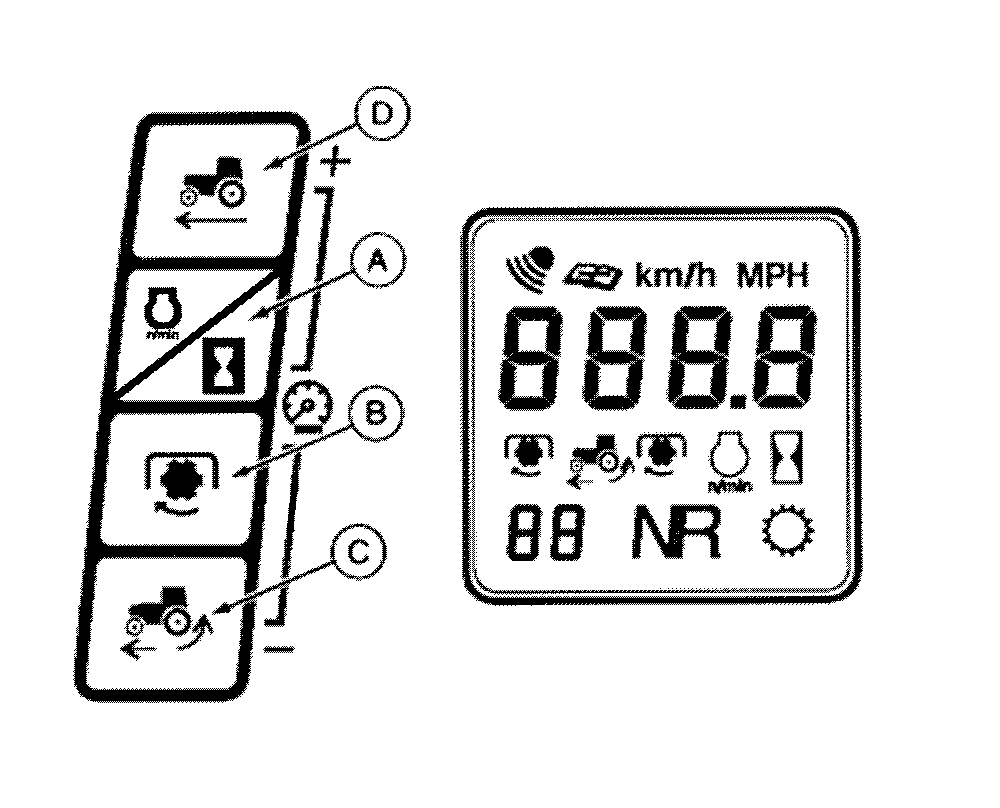
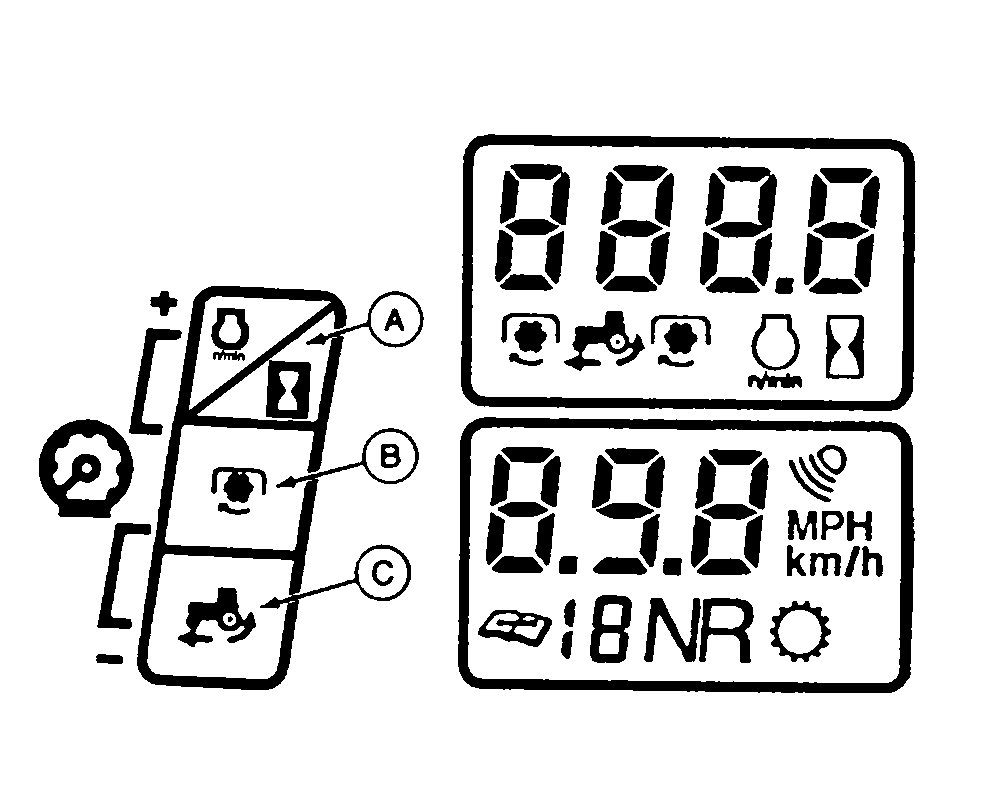
Change display functions using the touch switches on the left side of the instrument panel. Engine Speed and HourmeterPressing switch (A) shows engine rpm. Press this switch for 1-1/2 seconds to display engine hours on upper display and tenths of a hour on the lower display. PTO SpeedPressing switch (B) displays the rear PTO rpm. Pressing switch a second time displays front PTO rpm, if front PTO is engaged. Press switch again to return to rear PTO speed. Ground Speed and Wheel Slip(Tractors WITH RADAR) NOTE: Dashes are displayed if radar is not sensed. Pressing wheel-slip switch (C) displays percent of wheel slip in the upper display. Pressing ground-speed switch (D) on the ANALOG instrument panel displays true ground speed. Pressing switch a second time will change to a speed calculated from transmission rpm. |
For DIGITAL instrument panel, the lower display shows true ground speed. Pressing switch (C) a second time will change lower display to a calculated speed from transmission rpm, while wheel slip remains on upper display. To switch back to true ground speed on the lower display press any other touch switch. NOTE: The calculated ground speed does not allow for wheel slip or variation in tire size. VoltageHolding switches (A) and (C) simultaneously will display current system voltage. Panel Light IntensityInstrument panel light intensity can be adjusted with head lights ON. Pressing switches (A) and (D) simultaneously on ANALOG panel or (A) and (B) simultaneously on DIGITAL panel will INCREASE the light intensity. Pressing switches (B) and (C) simultaneously will DECREASE the intensity. |
AG,RX15494,1636 -19-26AUG99-1/1 |