Putting Tractor in Motion
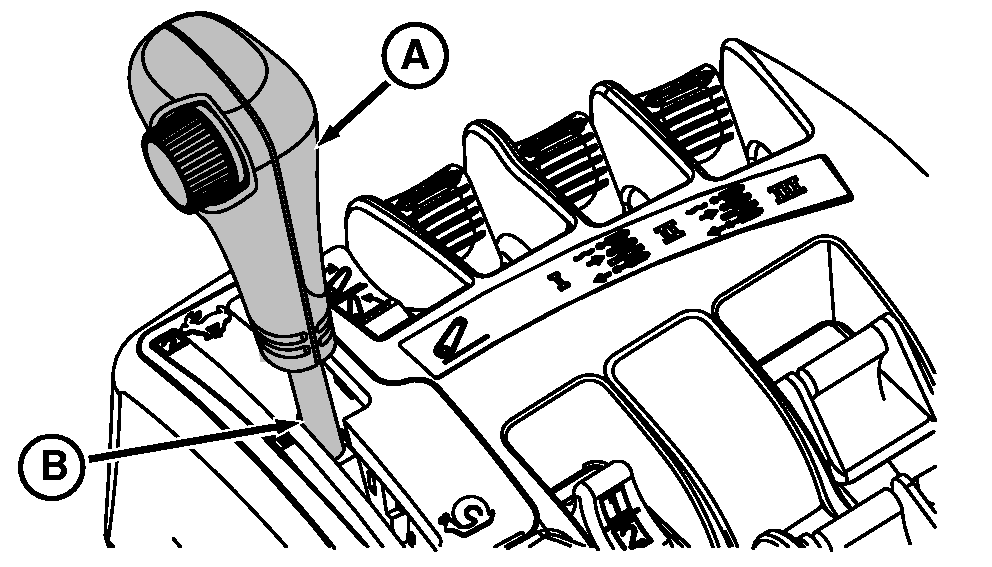
NOTE: Tractor cannot be put in gear unless operator is seated. Information indicator will light and a corresponding message appear on the CommandCenter display when Forward, Reverse, or NEUTRAL positions are selected and operator is not in the seat. To initiate motion, move left-hand reverser to PARK position, then to either Forward or Reverse position with operator seated. NOTE: In the event of a seat switch failure, tractor can still be put into gear by depressing the clutch or brake pedals. Using the clutch to put tractor in motion is not necessary. Move Left-Hand reverser lever into Forward or Reverse position. Use throttle and speed control lever (A) in speed band (B) to obtain desired speed. |
|
 CAUTION:
Avoid possible injury due to sudden or unexpected acceleration. Be aware of set speeds and throttle position before putting tractor in motion.
CAUTION:
Avoid possible injury due to sudden or unexpected acceleration. Be aware of set speeds and throttle position before putting tractor in motion.
OU1092A,000035A -19-20MAY05-1/1 |