Adjusting Reverse-Forward Set Speed Ratio
|
|
|
|
|
|
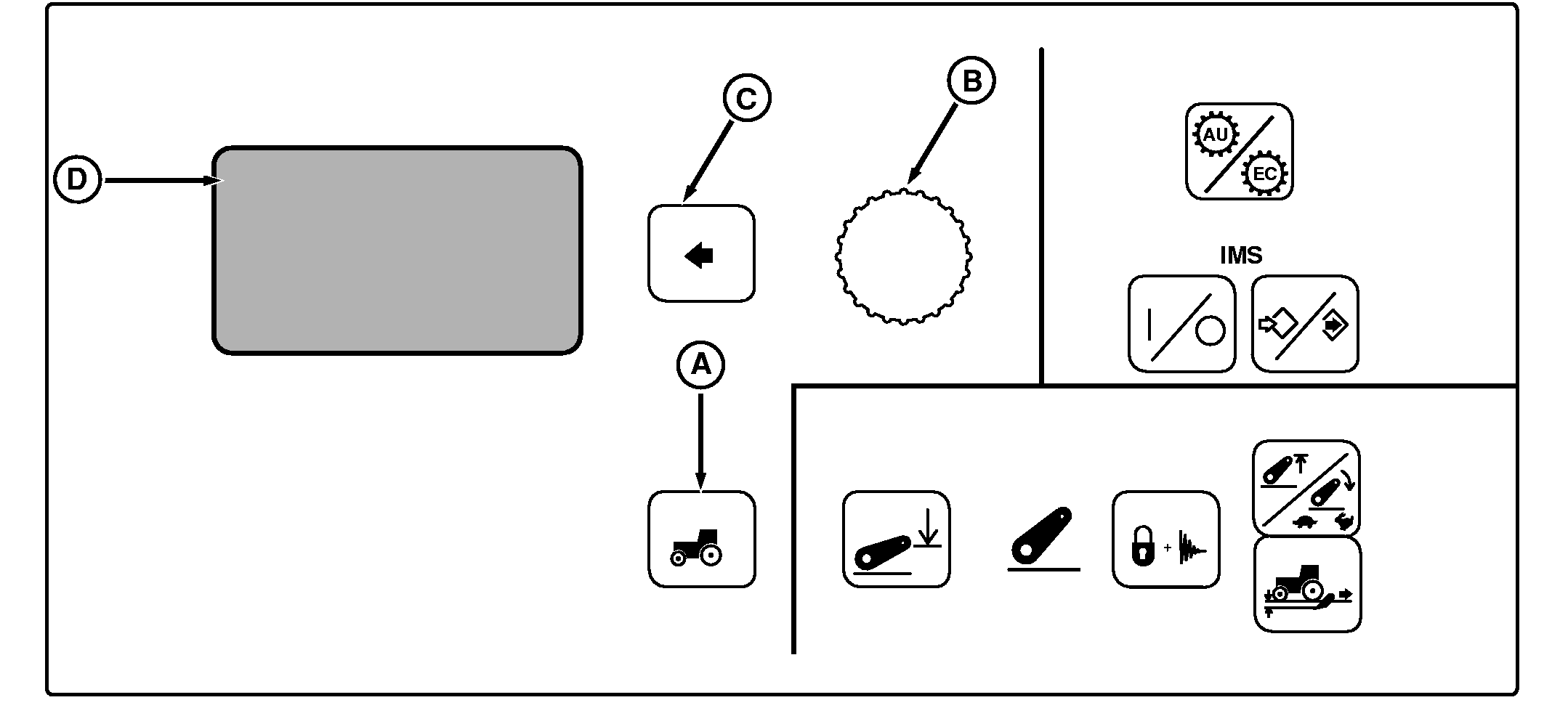
NOTE: Not all languages are displayed on CommandCenter. Reference "Selecting Units and Language" in this manual for more information on languages that can be displayed. The ratio of a Reverse Set Speed to its corresponding Forward Set Speed can be adjusted. (A set speed is the maximum ground speed that can be attained in a speed band.) Press Settings Switch (A) to view menu items on Display (D). Rotate Command Dial (B) to highlight Rev/Fwd Ratio and press Select Switch (C). Using Command Dial, change ratio setting between Reverse and Forward Set Speeds and press Select Switch. Reverse/Forward Ratio can be set to operate independent of each other or from 0.3-to-1.3 times as fast (in 0.1 increments). Forward and Reverse Set Speeds are the same at 1.0 setting (1-to-1 ratio). |
Maximum reverse speed is to 18 km/h (11 mph) regardless of ratio. Reverse Set Speed is also limited to be no more than 5 km/h (3.1 mph) faster than Forward Set Speed. As an example, if Forward Set Speed 2 is adjusted to 10 km/h (6.2 mph), Reverse Set Speed 2 is automatically limited to 15 km/h (9.3 mph). Then if FSS2 is adjusted down to 3 km/h (1.86 mph), RSS2 is adjusted to 8 km/h (5.0 mph) reverse speed. |
OU1092A,0000366 -19-23AUG05-1/1 |