Using Hitch Lever/Display-Setting Depth and Lock/Damping
|
|
|
|
|
Using Hitch Command Lever
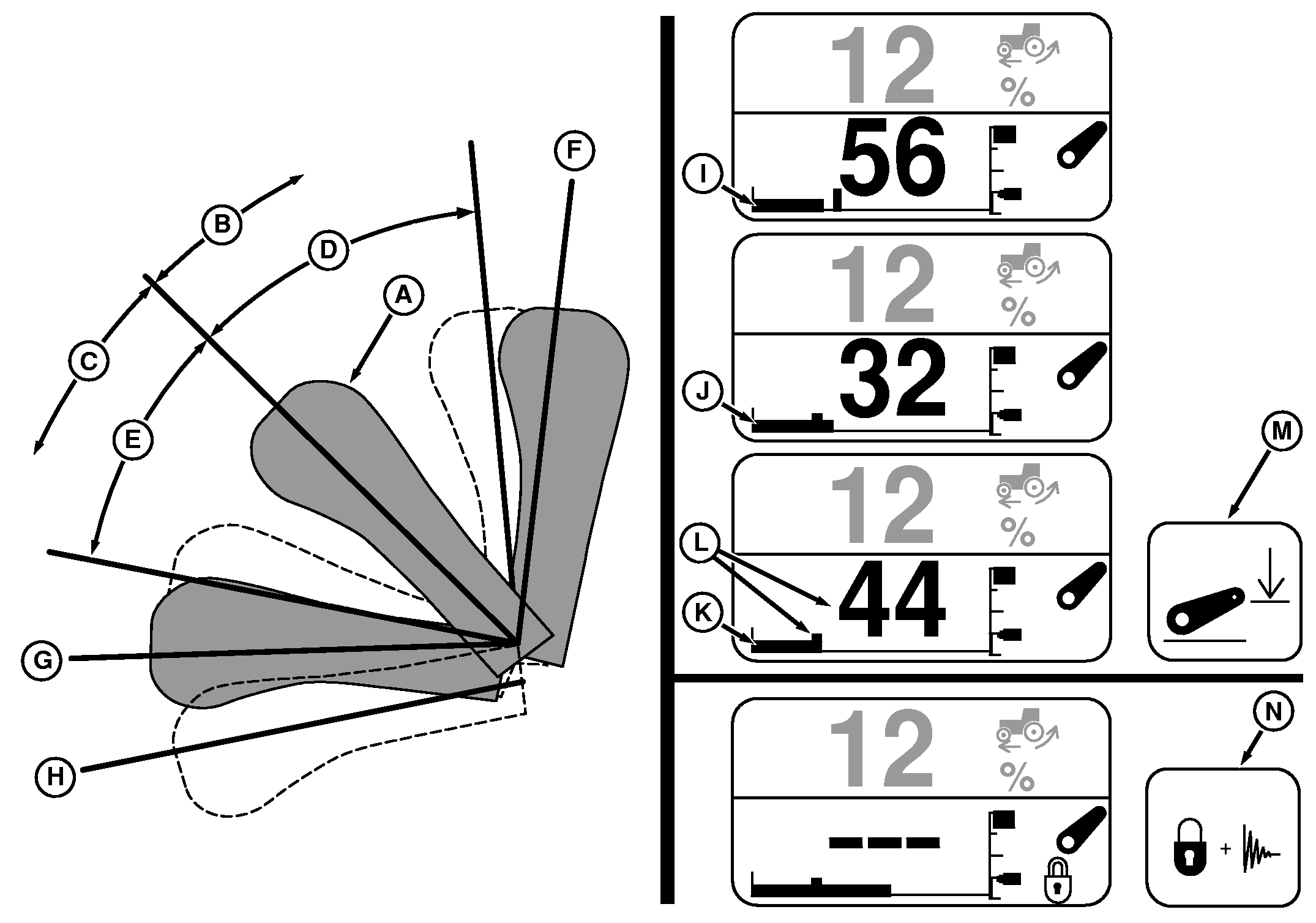
Lever movements within the proportional region (D and E), commands hitch to raise or lower. Raise or lower rate depends on how far the lever is moved from center position. Push lever down to lower hitch; pull lever up to raise hitch. |
Setting Depth
Use lever to move hitch to desired operating depth, then press depth Set Switch (N) to store in memory. |
OU1092A,0000404 -19-28JUL05-1/2 |
Display
Hitch information appears in lower half of display when using hitch lever, or can be permanently displayed by selecting with the Command Dial.
Detent position (F) raises hitch to upper height limit. Detent position (G) lowers hitch to stored depth setting. |
Lever Float
Float position (H) holds hitch lower valve open continuously and is useful when detaching an implement. See USING FLOAT OPERATION in this section for proper setup if implement requires that hitch float during field operation. Lock/Damping
Before transport or during operations when hitch is not used, raise hitch with lever then press LOCK/damping switch (O). Lock symbol will appear and numeric depth value changes to dashes. This locks the hitch and enables hitch damping. To unlock hitch and turn damping off, press switch (O) again. |
 CAUTION:
To prevent possible injury and equipment damage, set hitch lock and damping ON before transporting.
CAUTION:
To prevent possible injury and equipment damage, set hitch lock and damping ON before transporting.
OU1092A,0000404 -19-28JUL05-2/2 |