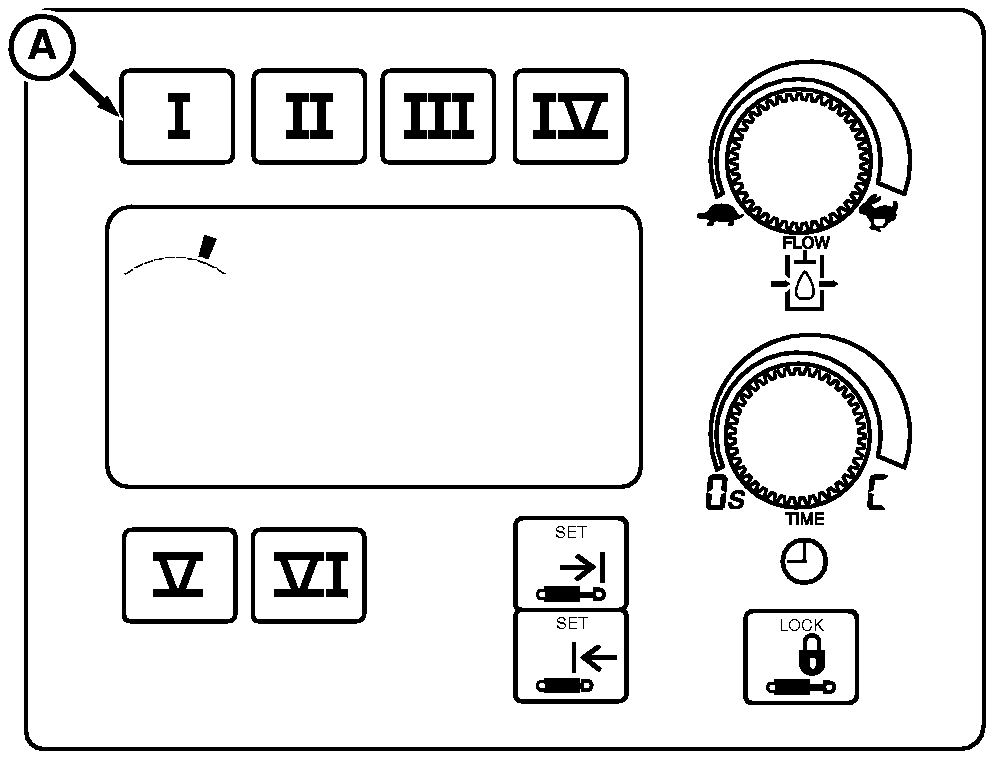
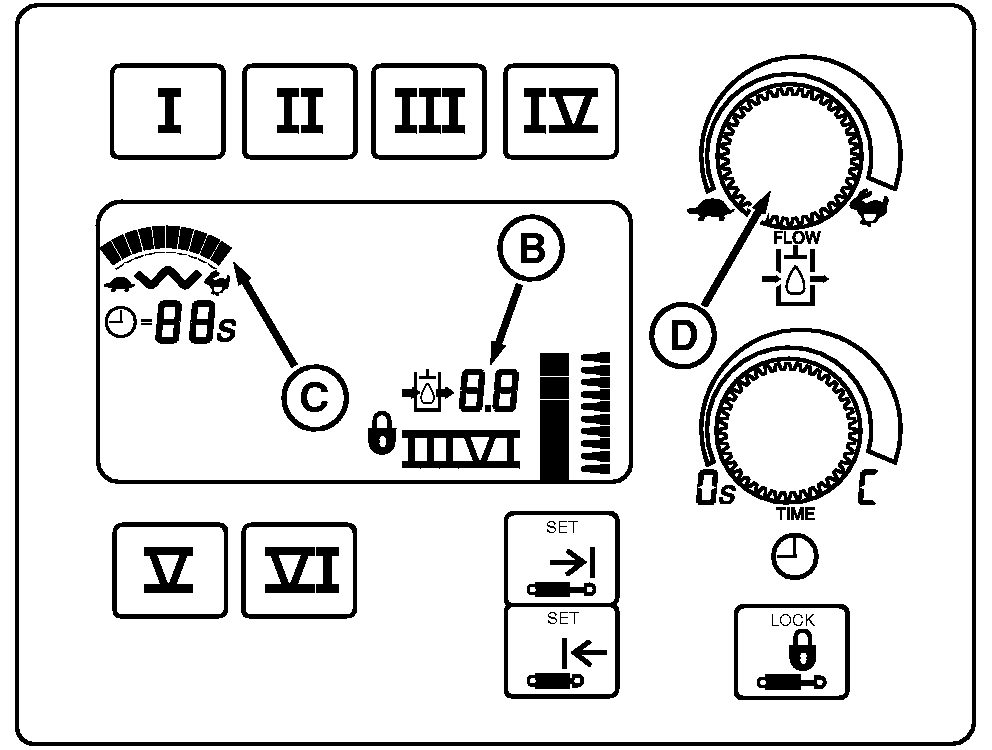
Adjusting SCV Flow RateIMPORTANT: Excessive operating speed may cause damage or injury. Full extension or retraction of cylinder should take at least 2 seconds. Adjust flow rate for each job. Rate should be slow enough to be safe, yet fast enough to be practical. Change flow setting as follows: 1. Press selected SCV switch (A). Display shows previous flow rate.2. Turn flow rate knob (D) clockwise (rabbit) to increase flow or counterclockwise (turtle) to decrease flow. Flow setting is shown on bar graph display (C) and, during adjustment, on digital display (B). NOTE: SCV can be operated to observe flow rate while in adjustment mode. Reduced cylinder cycle times and/or a reduction in motor speed may result if total flow demand exceeds available pump flow.
|
|
OU1092A,000040A -19-16AUG05-1/1 |