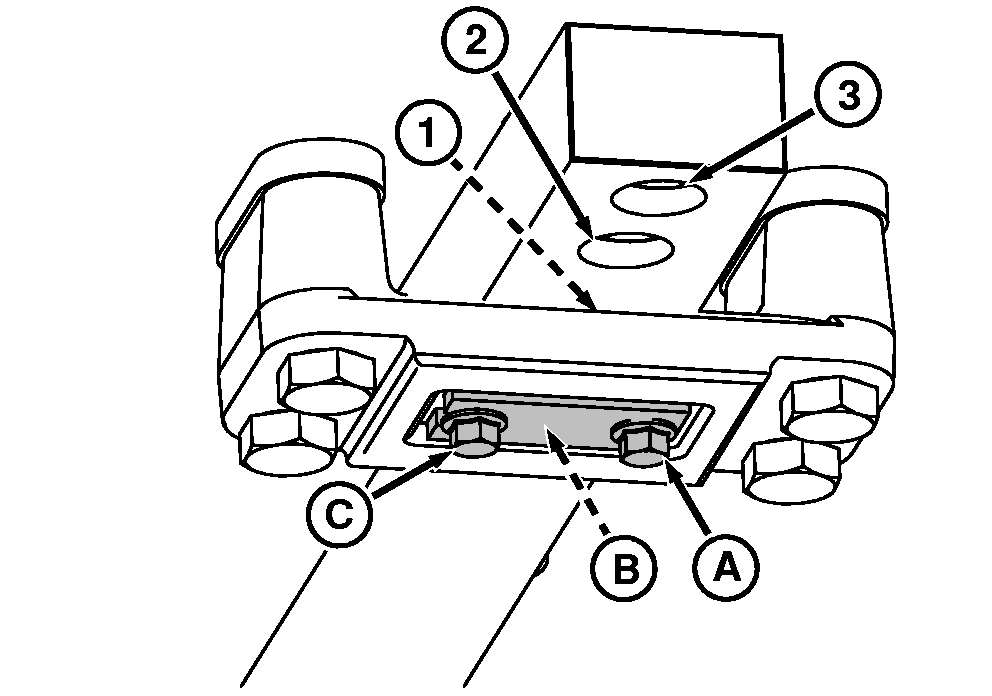
Adjusting Drawbar LengthIMPORTANT: For PTO-driven implement, drawbar must be positioned as instructed in ATTACHING PTO DRIVEN IMPLEMENT in this section. 1. Remove cap screw (A).2. Loosen cap screw (C). 3. Remove strap and retaining pin (B). 4. Slide drawbar to desired position.
5. Install drawbar retaining strap and pin. Install pin with tapered end UP. 6. Install and tighten cap screws. |
|
OUMX005,00015DB -19-29AUG05-1/1 |