Setting Implement Selection
Implement Selection Display
|
|
|
|
|
|
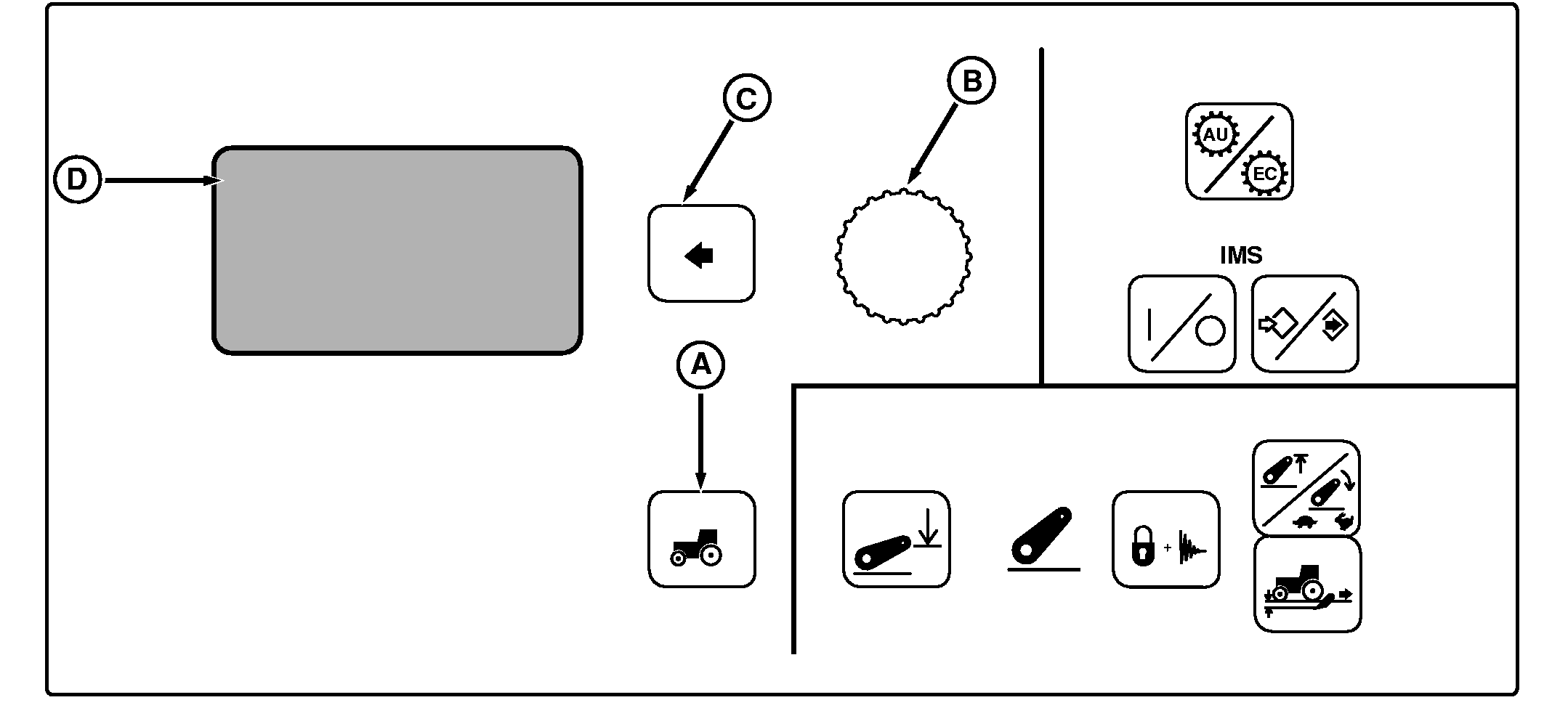
NOTE: Not all languages are displayed on CommandCenter. Reference "Selecting Units and Language" in this section for more information on languages that can be displayed. Press Settings Switch (A) to view menu items on Display (D). Rotate Command Dial (B) to select Implement Sel and press Select Switch (C). Using Command Dial, scroll through available selections until desired setting (code) is highlighted and press Select Switch.
IMPLEMENT SEL: Code identifies a device or system that supplies a feedback signal for measurement related bottom-half screens, such as Total Area, |
Area-per-Hour or Distance all of which include the implement position arrow. Position arrow indicates if implement is raised (arrow up) or lowered (arrow down). Measurements are being recorded only when the implement arrow is down.
NOTE: SCV codes will only appear if tractor is equipped with CommandArm/TouchSet hydraulic controls. When HCU, SCV1, 2, 3, or 4, RPTO, FPTO (if equipped) is selected, measurement recording will not take place until the chosen device or system is engaged. Once selected and engaged, measuring cannot be turned off until the chosen device or system is disengaged. When Auto Seek or Whisker: AS is selected, the first detected "engaged" signal seen by the controller causes the implement arrow to point down and start accumulating measurements (distance and area). The code of the first detected device will highlight on the screen and change back to Auto Seek when that device is disengaged or, change to a different code if another device is already engaged. |
OUO1011,00053C3 -19-21JUL05-1/2 |
|
In Manual mode, the implement position arrow and corresponding measuring is controlled by the Select Switch. Once the implement is lowered, press the Select Switch to point the position arrow down and start accumulating measurements. Then when the implement is raised, press the Select Switch again to reverse arrow and stop measuring. Implement mounted "Whisker" switch needs to be introduced to the controller when first used, so its feedback signal will be recognized. |
At first time use, highlight Whisker setting, lower implement and press Select Switch to point position arrow down and start accumulating measurements; then when the implement is raised, the position arrow should reverse and measuring stop automatically. Once the Whisker switch is introduced to the system (Whisker highlighted, implement lowered, Select Switch pressed), it will function automatically the same as other codes and devices. |
OUO1011,00053C3 -19-21JUL05-2/2 |