Front Hitch or Loader Lights and CommandCenter Indicator (If Equipped)
|
|
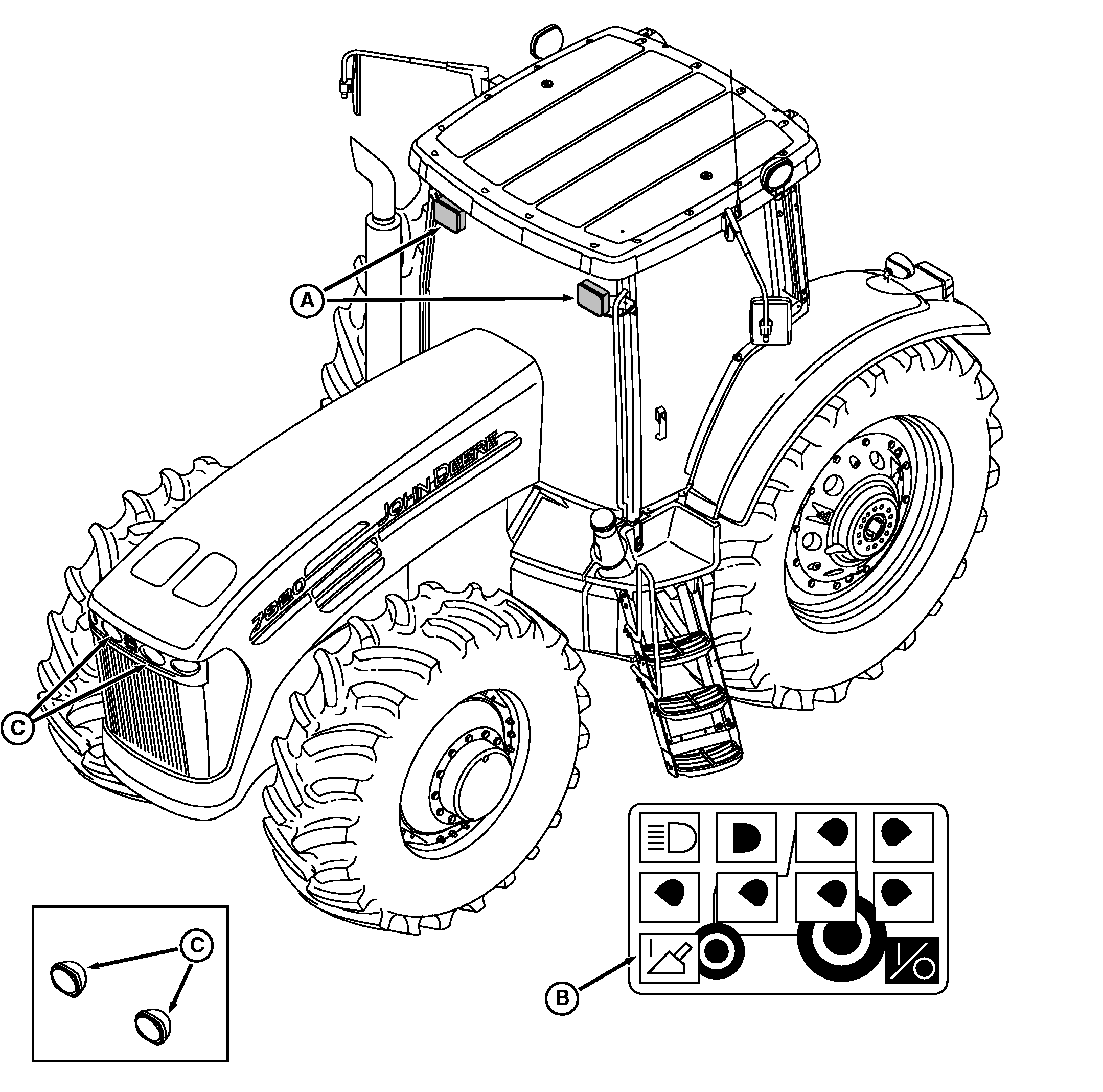
Loader lights (A) are optional and can be programmed to operate with light switch in Road, Field 1 or 2 positions, or in Egress (Delayed Shutdown) position, if |
equipped. See PROGRAMMING HEADLIGHTS AND FLOODLIGHTS in this section. |
OURX986,00001E0 -19-22MAR05-1/2 |
|
When loader lights are installed, CommandCenter controller is reset to show loader light indicator (B). If indicator does not display, see your John Deere dealer. NOTE: Driving lights (C) are either hood-mounted as standard equipment or relocated to weight bracket when equipped with optional HID-Xenon lights. When loader lights are selected and activated, loader light indicator goes from black-to-white, connection |
indicator goes from circle (OFF)-to-line (ON), and high/low beam driving lights (C) are deactivated automatically. Once activated, loader lights are used in place of standard driving lights and come on when light switch knob is moved to the Road position. Just like standard driving lights, loader lights are high/low beam lights and controlled by pushing the turn signal lever forward for high beams or pulled back for low beams. |
OURX986,00001E0 -19-22MAR05-2/2 |