CommandCenter Split Screen-Selectable Bottom-Half Display
|
OURX986,00002C4 -19-15AUG05-1/2 |
|
|
|
|
|
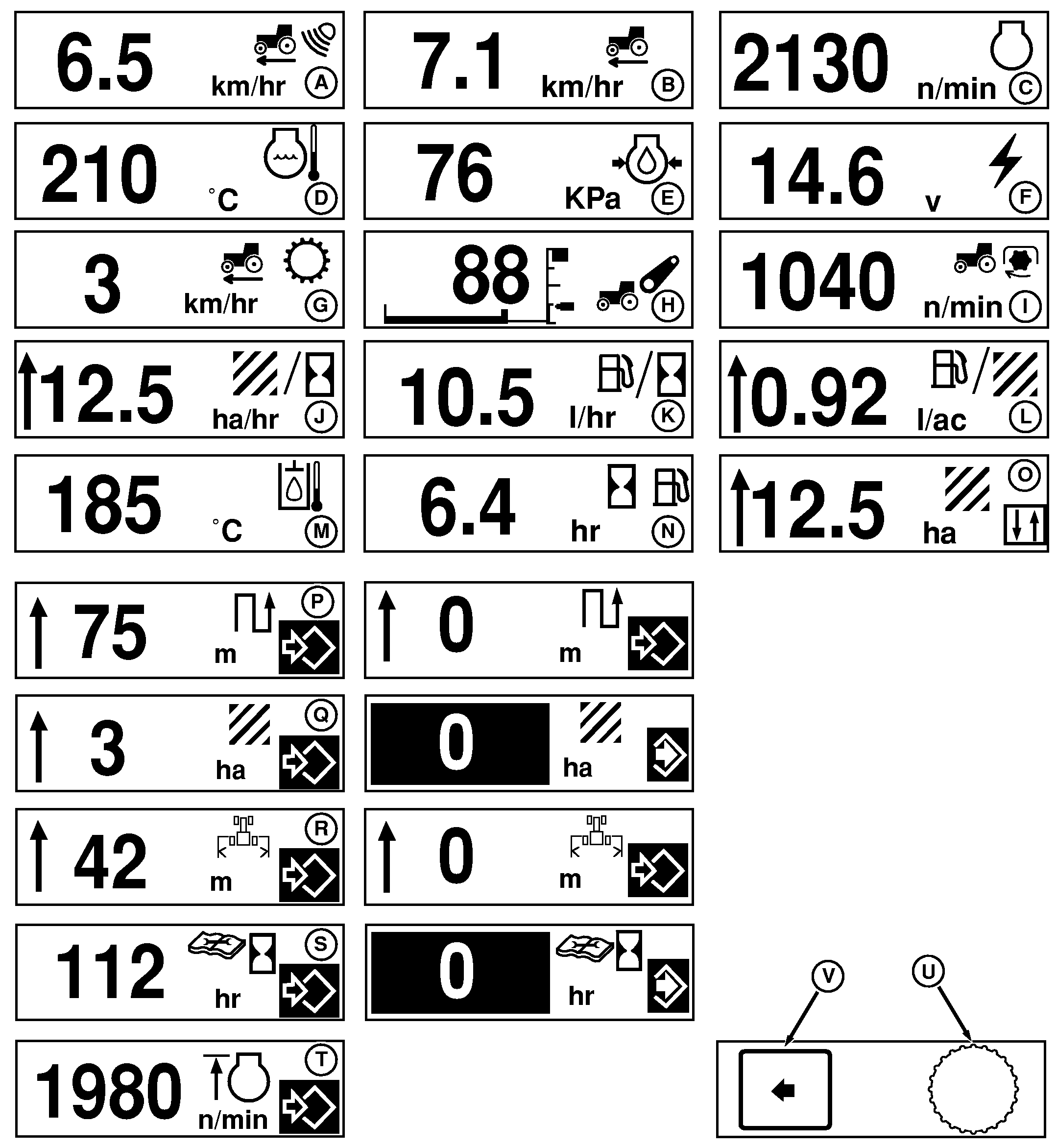
Bottom half of the split screen is selected using the Command Dial (U). Screens (A-O) are current activity displays that change while the tractor is operated. NOTE: When metric "units" are selected, all measurements are displayed in appropriate metric equivalents (area-hectares, distance-meters, temperature-celsius, speed-kilometers/hour, liquid volume-liters and pressure-kilopascals). See SELECTING UNITS AND LANGUAGE in this section. Screens (P-Q) are measured totals accumulated since last reset. Use Command Dial (U) and Select Switch (V) to reset to zero. Actual implement width must be entered into memory for accurate accumulation of Distance (P) and Total Area (Q) covered. To enter width, rotate Command Dial (U) until Implement Width (R) screen is displayed. Press Select Switch (V) and turn dial until actual implement width appears, then press Select Switch again to enter setting into memory. |
Screens having to do with accumulated area or distance include an implement position arrow. Position arrow shows if implement is lowered (arrow down), or raised (arrow up). Accumulation of area and distance measurements only takes place when the implement is lowered, with the position arrow pointing down. (See SETTING IMPLEMENT SELECTION in this section.) Service Screen (S) should be reset to zero after next scheduled service is performed. Operation of the Field Cruise Screen (T) is described in Operating the Tractor section. Field cruise is available as factory option for tractors equipped with AutoPowr or AutoQuad-Plus (AQ+) transmissions. Available as field-installed option for PowrQuad-Plus tractors. In addition to the screens shown (A-T), the four constant top-half displays (% Slip, PTO Speed, Engine Hours and Clock) are also available for bottom-half display. Service Screen (N) displays approximate time remaining based on current fuel usage rate until low fuel warning appears. |
OURX986,00002C4 -19-15AUG05-2/2 |