Operating Front or Rear PTO
|
|
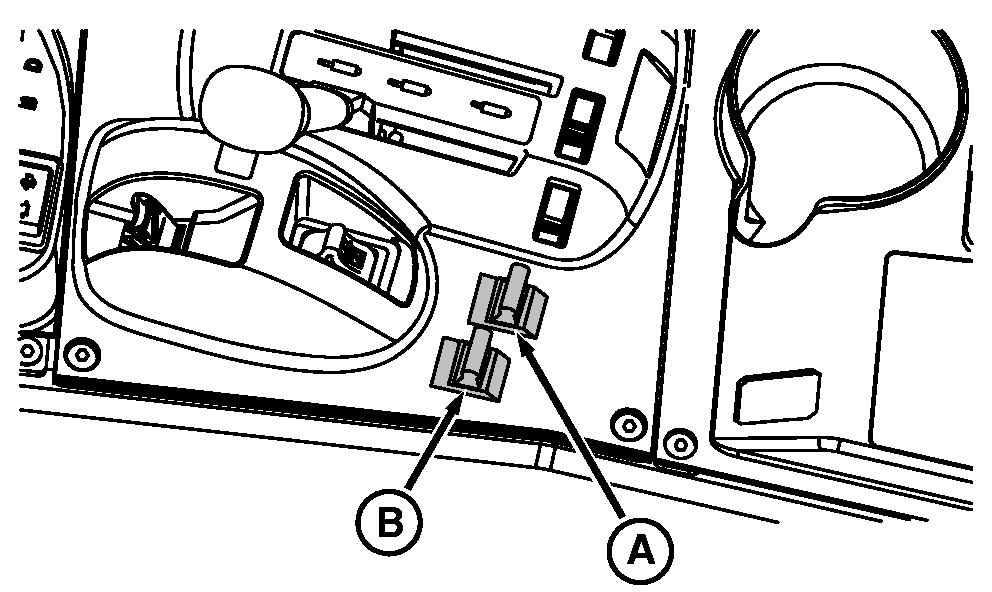
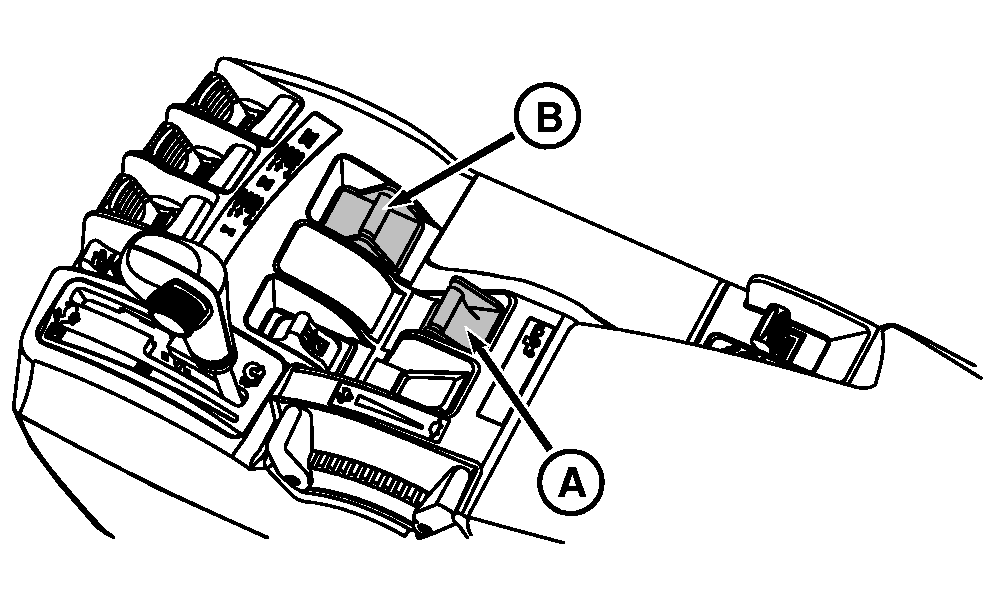
|
Always disengage the PTO when not in use. PTO can be engaged or disengaged without operating the clutch. NOTE: Rear PTO can be Type 2 or Type 3. Type 2 has a 35 mm (1 3/8 in.) shaft with 21 splines. Type 3 has a 45 mm (1 3/4 in.) shaft with 20 splines. NOTE: Front PTO can be Type 1, 2 or 3. See previous note for Types 2 and 3. Type 1 PTO has 35 mm (1 3/8 in.) shaft with 6 splines. NOTE: Service Alert indicator light will flash, a message appears on the CommandCenter |
display and an audible warning signal sounds if operator leaves seat with PTO engaged. PTO does not disengage when operator is off the seat. Push down and forward on PTO switch (A or B) to engage PTO clutch. PTO indicator on corner post monitor will light. IMPORTANT: If PTO disengages during start up in cold-weather operation, wait 5 minutes before re-engaging PTO to avoid damage. Pull back PTO switch to disengage clutch and PTO brake will engage automatically. NOTE: If engine is stopped and then restarted while PTO is running, PTO will not operate. Disengage PTO control switch and then engage the PTO again. |
 CAUTION:
Avoid personal injury. Stop engine and allow PTO driveline to stop before adjusting, connecting, or cleaning PTO-driven equipment.
CAUTION:
Avoid personal injury. Stop engine and allow PTO driveline to stop before adjusting, connecting, or cleaning PTO-driven equipment.
OURX986,00002C6 -19-13JUL05-1/1 |