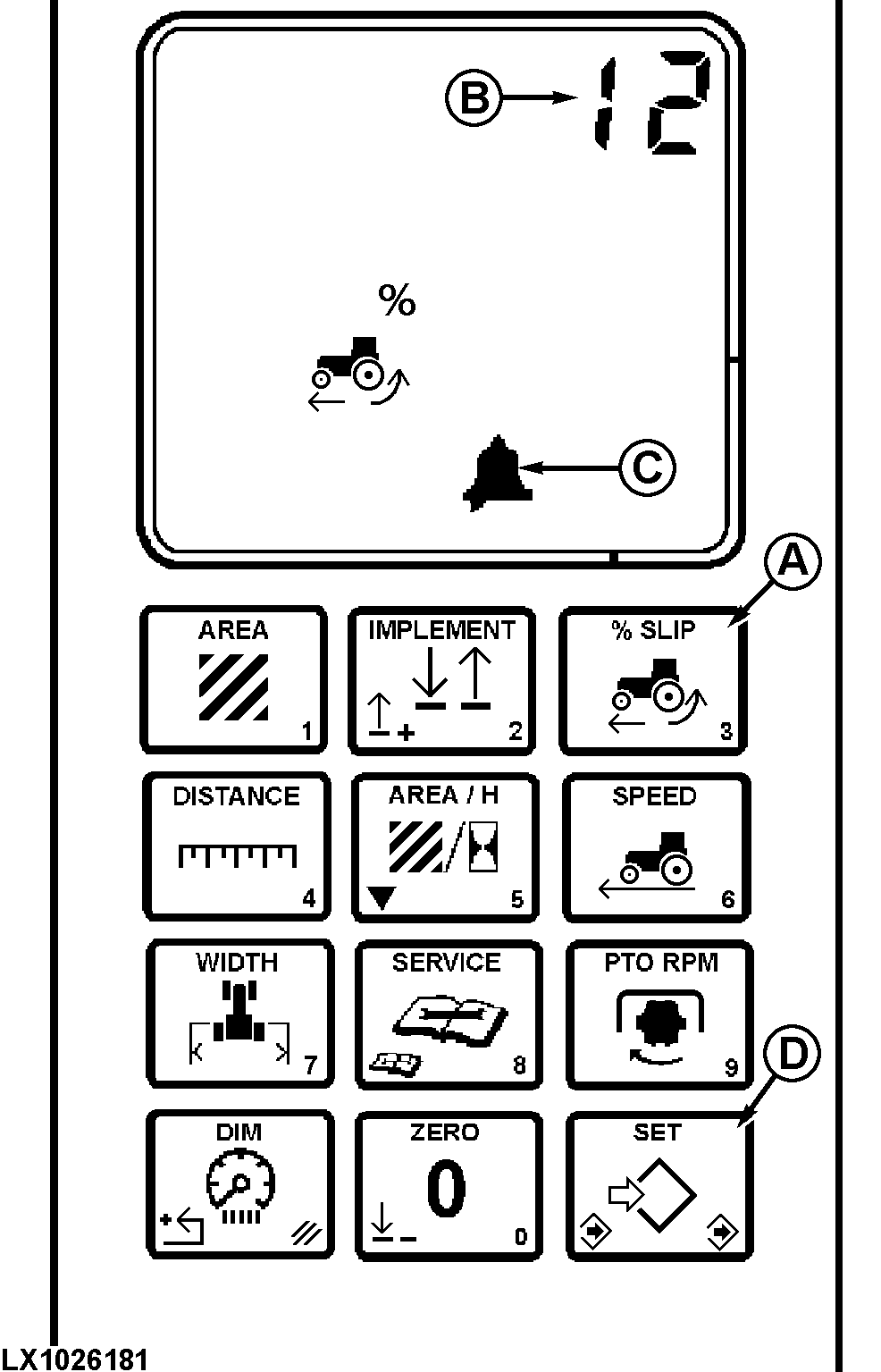
Wheel Slip (3)Radar must be operational to provide true ground speed. If true ground speed is not available, "---" will be displayed. Press Percent SLIP switch (A). Bargraph and numeric display will show current wheel slip. Press switch again to display the wheel slip alarm setting. An alarm symbol will be displayed. NOTE: Illustration shows alarm setting at 12% (B). The alarm symbol (C) indicates alarm mode is set. Press (D), to change alarm value. Input alarm setting using touch pad, then press (D). NOTE: Entering "0" as an alarm value will shut off alarm.
|
|
LX005372 -19-01OCT93-1/1 |