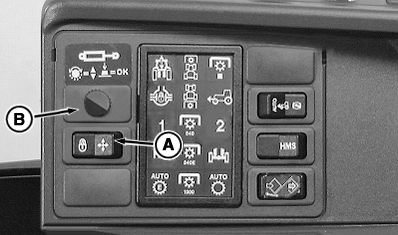
Additional Functions of Electronic Selective Control ValvesSwitch (A) permits all four SCVs to be locked at the same time (transport lock). The SCVs all go to neutral. Function adjustment wheel (B) permits each of the four SCVs to be set individually to the following:
Flow adjustment for E-ICV (Mid Mount Valve):
Note:
|
|
OU1092A,000001E -19-15JAN04-1/5 |
|
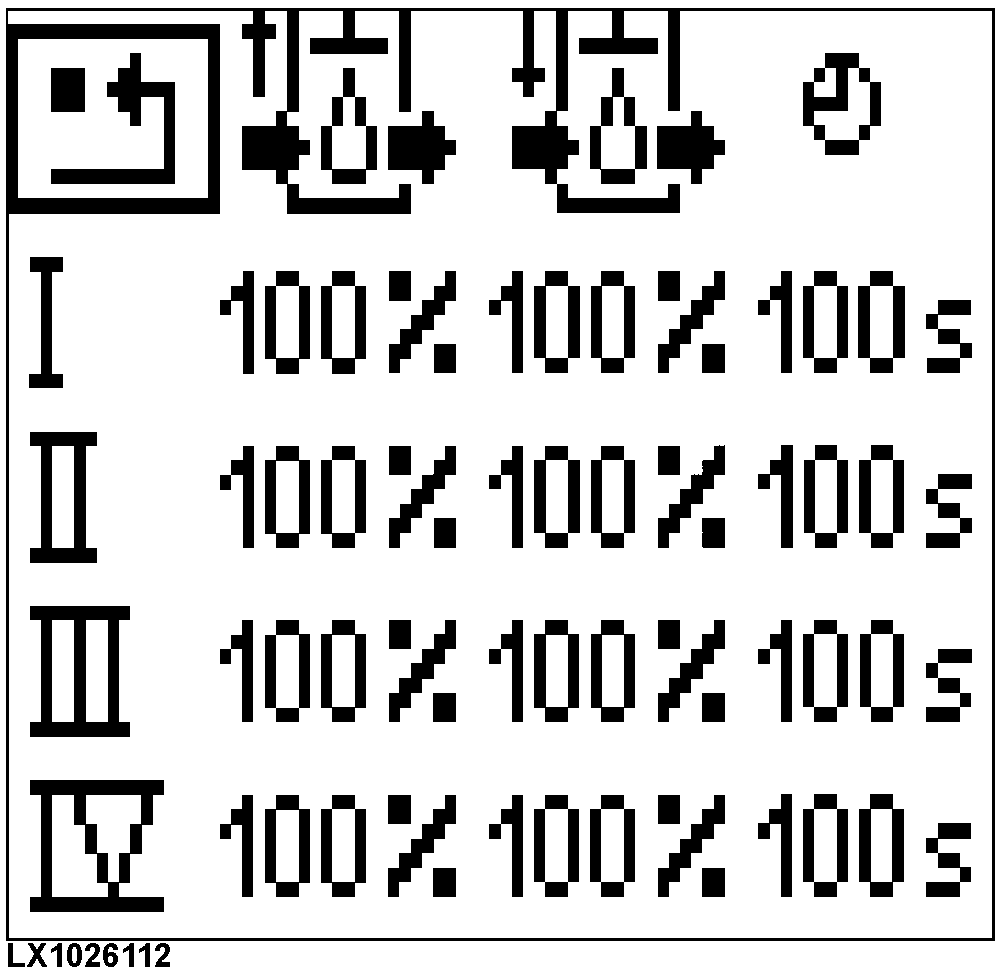
Display of value setting
Press the adjustment wheel or turn it one position. On the dot-matrix display, the summary of values appears with cursor in top left corner (on "carriage return" symbol). The display goes off if adjustment wheel is pressed while cursor is on "carriage return" symbol or if no change is made at adjustment wheel within 10 seconds. |
|
OU1092A,000001E -19-15JAN04-2/5 |
|
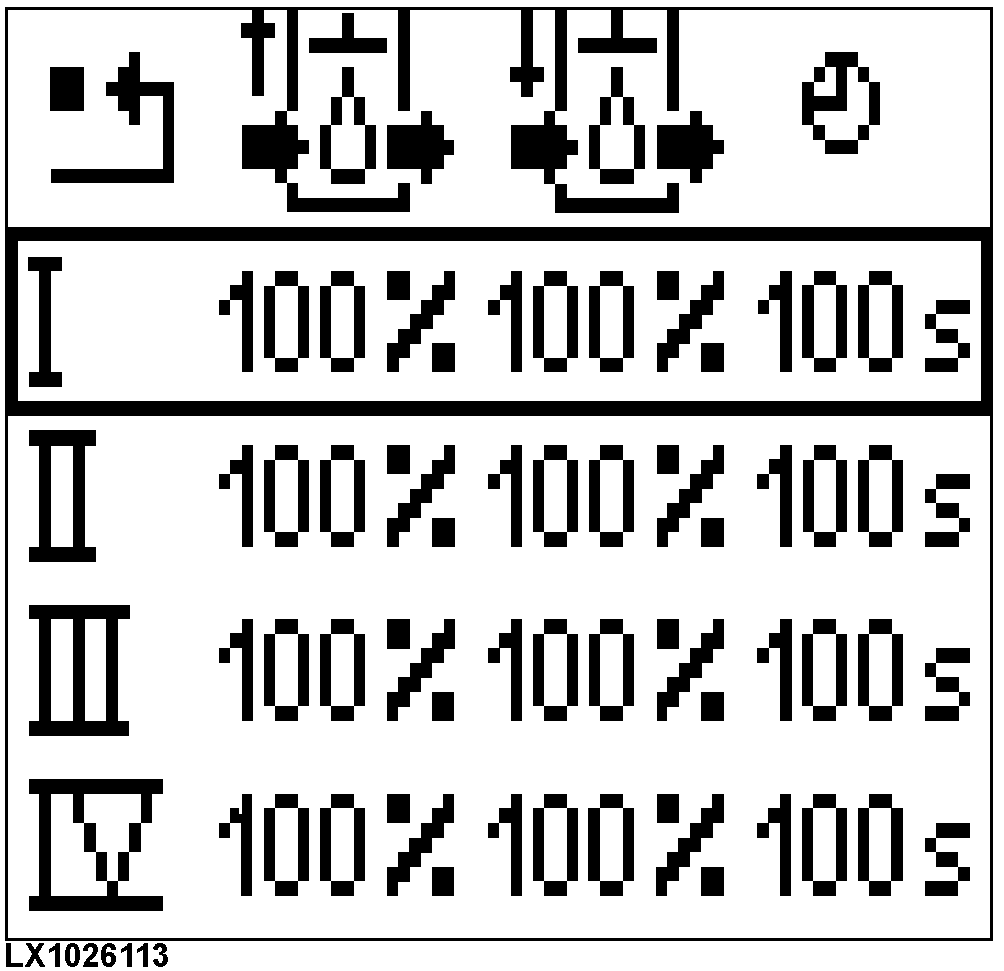
Selecting an SCV
If the adjustment wheel is turned clockwise, cursor moves downward. When it reaches bottom of the list, cursor will jump back to the beginning if you turn the wheel further. If adjustment wheel is turned counterclockwise, cursor moves in opposite direction. If adjustment wheel is pressed while cursor is at positions I - IV, the adjustment status of the relevant SCV appears on display. |
|
OU1092A,000001E -19-15JAN04-3/5 |
|
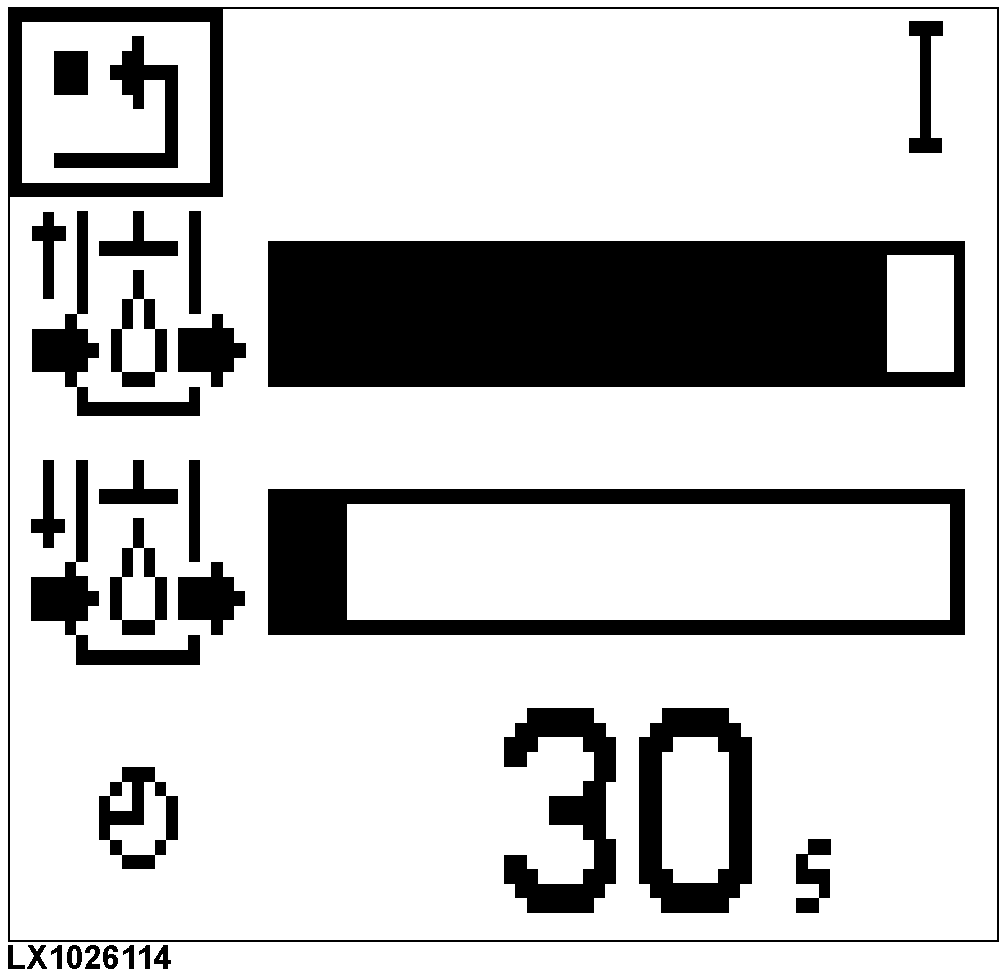
Setting the Values for an SCV
Turn the adjusting wheel until the cursor is at value you want to change, then press the adjusting wheel. Turning the adjusting wheel clockwise will increase the value up to its maximum. Turning the adjusting wheel counterclockwise will decrease the value down to its minimum. When you reach the desired value, press the adjusting wheel. The value will be stored. The values for the extend and retract limits can be set in increments of 10%. 10% is the minimum, and 100% the maximum. The values for the shut-off time can be set in variable increments between 0 and infinity. Infinity means: no automatic shutoff. |
|
OU1092A,000001E -19-15JAN04-4/5 |
|
Automatic Shutoff
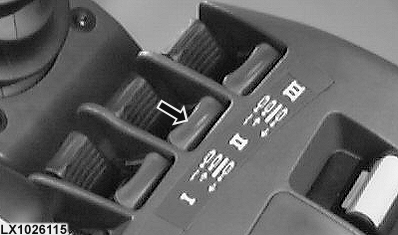
Provided the transport lock is not active and a valid shut-off time is set for the SCV, the following applies: If the SCV control lever (see arrow) is in the maximum extend or retract position and then moved past the point of resistance (a definite click can be perceived), the relevant remote cylinder will be brought to its set limit position and held there until the set shut-off time elapses. Then the remote cylinder is moved to neutral. This procedure is aborted if:
In all of these cases, the SCV will react according to movements of the SCV control lever. To reactivate the automatic shutoff, bring the SCV control lever back from beyond the point of resistance and then past the point of resistance again. |
|
OU1092A,000001E -19-15JAN04-5/5 |