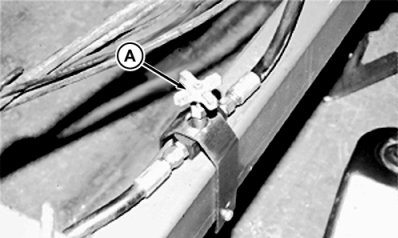
Checking Depth Control Operation1. Open implement lock-up valve (A).
|
|
OURX935,000028D -19-09AUG05-1/2 |
|
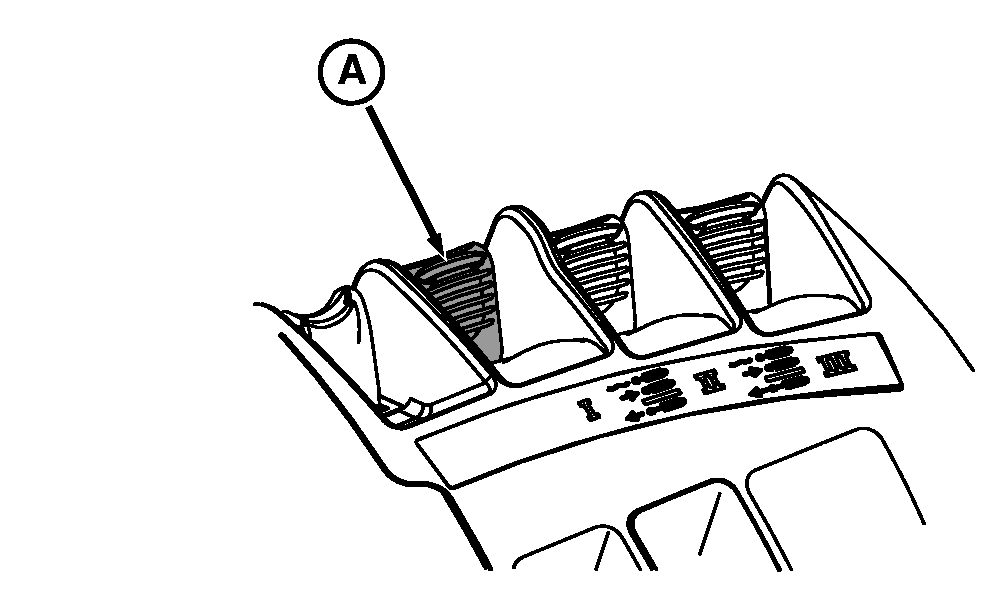
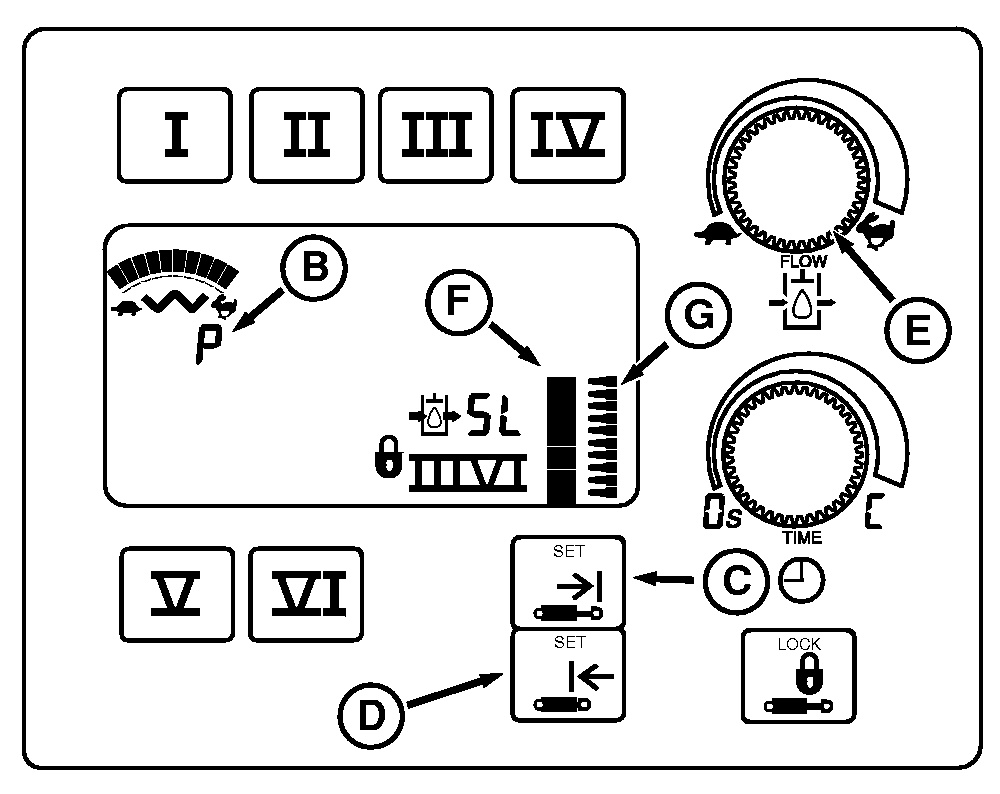
IMPORTANT: If setup panel does not show a "P" (B) at start-up, wiring harness connection is not correct. If "SL" is displayed, a fault condition exists. Check to make sure hoses are not installed backwards. 2. Start engine and raise and lower implement with SCV I control lever (A). Pulling lever rearward will raise implement and pushing lever forward will lower implement. 3. Push SCV control lever forward to desired implement operating depth. 4. Push lower limit switch (D) to store operating depth. Implement will lower to same working depth each time the lever is pushed forward into detent "click" position and released. 5. Pull SCV control lever back to raise implement to desired height. Push upper limit switch (C) to store upper limit. Implement will raise to same height each time the lever is pulled back to the detent "click" position and released. NOTE: Set Point Indicator (F) show upper and lower settings. 6. Adjust flow rate (E) to determine speed at which implement will raise and lower. If implement goes beyond depth settings, flow rate is too high. NOTE: System can be over-ridden by using SCV I lever without detenting. Push lever into detent and release to return implement to saved settings. |
|
OURX935,000028D -19-09AUG05-2/2 |