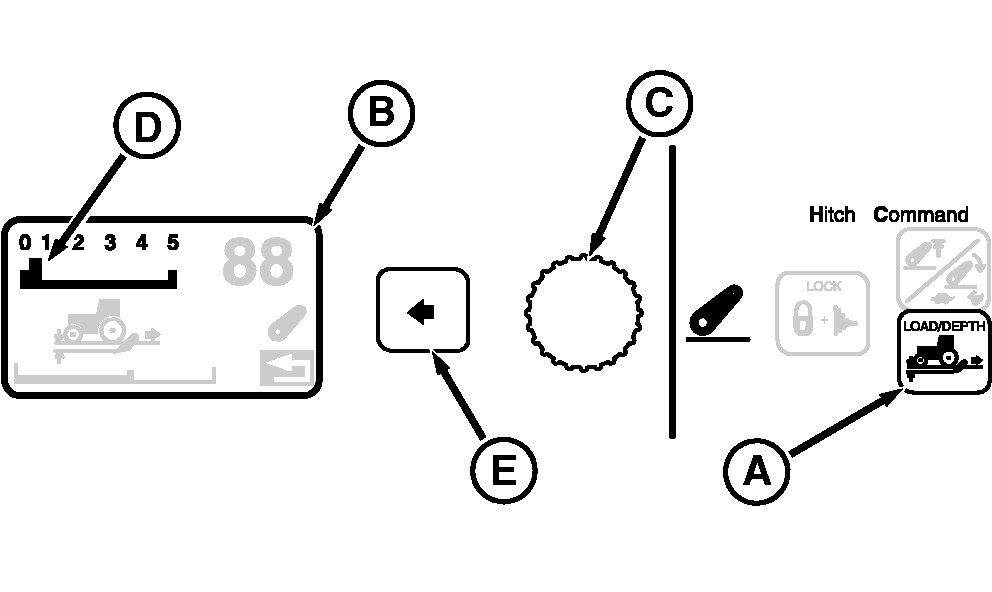
Adjusting Load/Depth Control (Draft Response)NOTE: Load/depth adjustment changes draft responsiveness only. Operating depth is set with hitch lever. Hitch load/depth (draft response) is adjusted in the CommandCenter. 1. Press Hitch Load / Depth Switch (A) and observe Display (B); current draft response setting appears on Draft Response Scale (D) across the top.2. Turn Command Dial (C) counterclockwise to reduce draft response or clockwise to increase. Changes to response setting take place immediately.
3. When desired setting is reached, press Select Switch (E) to return to previous display. |
|
OURX935,00004C7 -19-02JAN08-1/1 |