Setting Startup Gear
|
|
|
|
|
|
1.
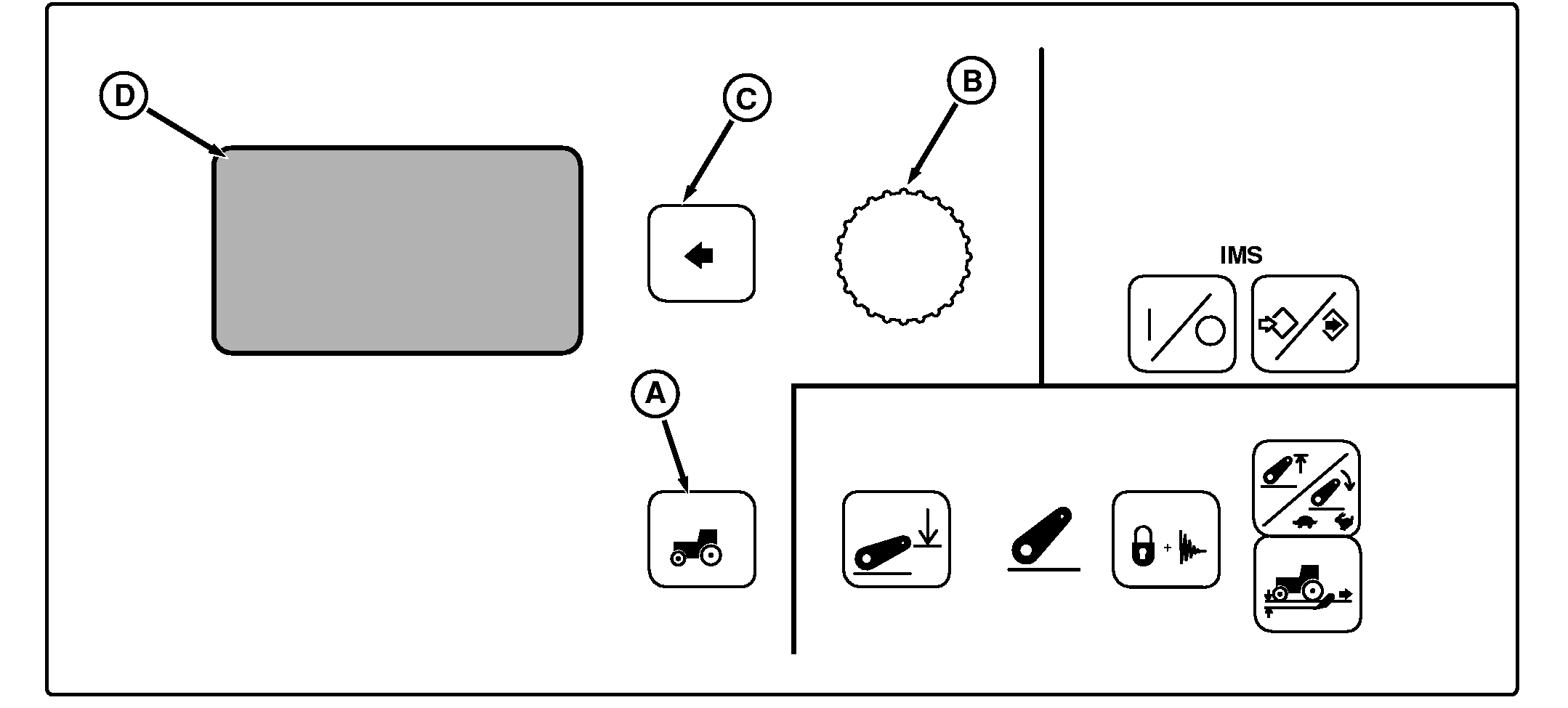
Press Settings Switch (A).
Display will be:
2. Using Command Dial (B), scroll down to Transmission , then press Select Switch (C). Display will be:
3. To change forward start gear, using Command Dial scroll down to Fwd Start Gear and press Select Switch. Rotate Command Dial clockwise to increase the gear displayed or counterclockwise to decrease the gear displayed. |
To change reverse start gear, using Command Dial scroll down to REV Start Gear and press select switch. Rotate Command Dial clockwise to increase the gear displayed or counterclockwise to decrease the gear displayed. 4. A number will be displayed. Rotate Command Dial clockwise to increase the gear (number) displayed or counterclockwise to decrease the gear (number) displayed. 5. When the desired number for the gear is displayed, press Select Switch. NOTE: New startup gear will not be locked into system memory until engine is turned off and tractor is restarted. 6. Turn Key switch OFF, after engine is shut off, restart engine. |
BB92646,0000083 -19-16AUG05-1/1 |