Intelligent Power Management (If Equipped) |
|
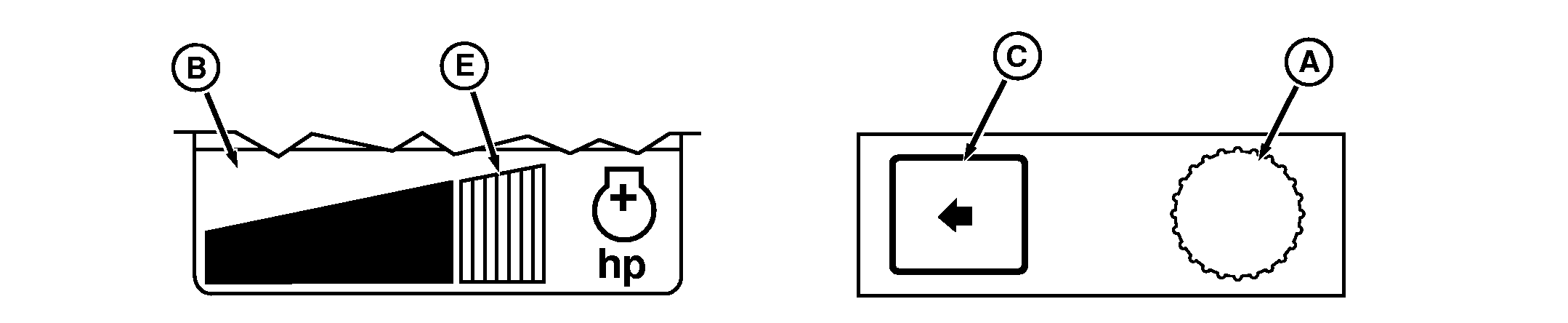
A-Command Dial
B-Intelligent Power Management Display
C-Select Switch
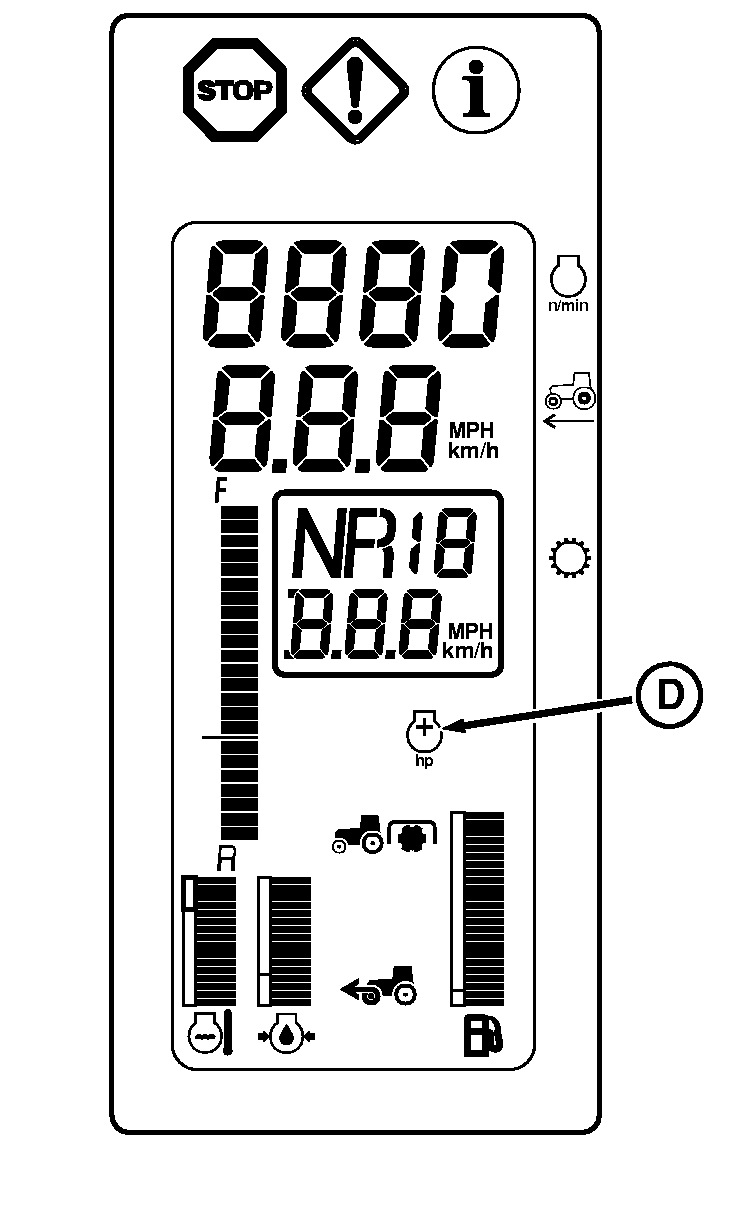
D-Intelligent Power Management Symbol
E-Power Increase Indicator
|
Intelligent Power Management provides a controlled power boost of up to 26 kW (35 hp) to the tractor under the following operating conditions:
Power increase is not provided under draft applications or non loaded rear PTO applications. Power increase is only provided when required. CommandCenter display (B) is a visual illustration of Intelligent Power Management usage. Rotate Command Dial (A) to bring Intelligent Power Management display (B) to bottom-half display. The solid portion illustrates engine power use up to rated power. Segments to the right of the solid portion indicate additional engine power (E) above rated. NOTE: Intelligent Power Management is available as a factory or field installed option. With tractor moving and rear PTO under load or in transport above 23 km/h (14.3 mph), symbol (D) will appear on corner post display when additional power is being provided to the tractor. Intelligent Power Management display (B) will indicate operating power level. |
|
OURX935,0000626 -19-02JAN08-1/2 |
|
|
|
|
|
|
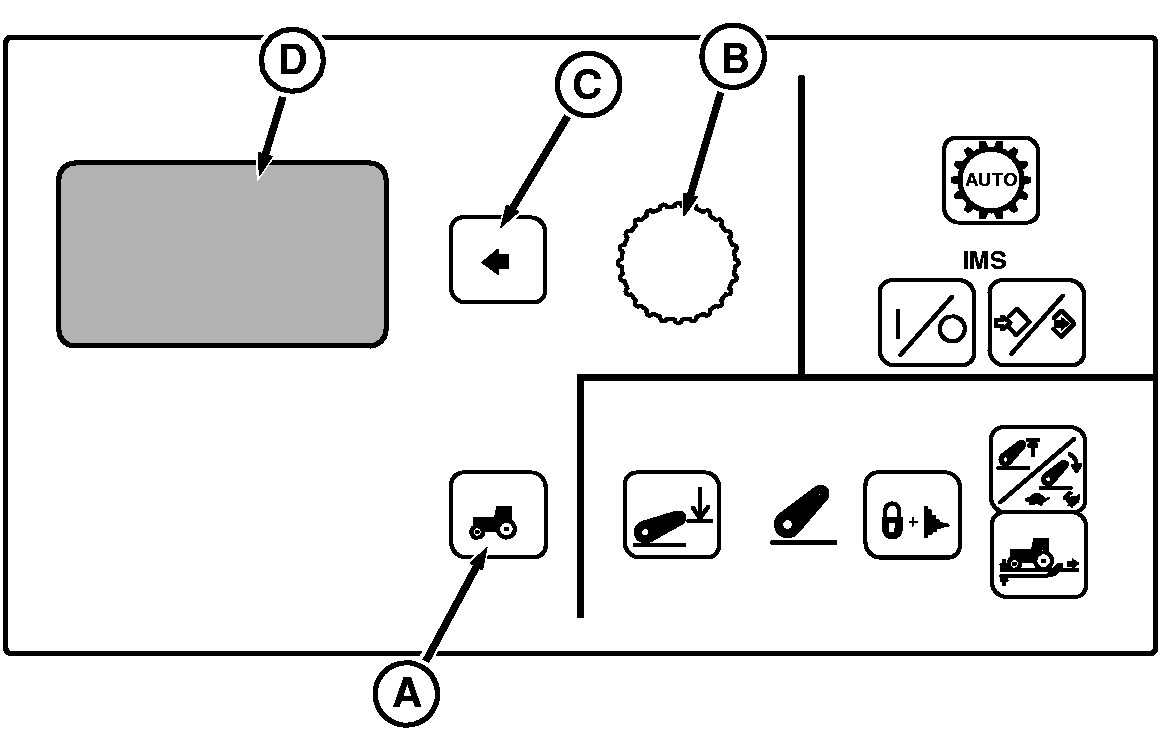
Intelligent Power Management is normally enabled. However the feature can be turned off for demonstration, or to limit PTO power to the advertised level of the tractor. Intelligent Power Management is automatically enabled at engine power up. 1.
Press Setting Switch (A) to view menu items on Display (D).
|
3.
Rotate Command Dial to highlight Disable.
4. Press Select Switch to enter setting into memory.
|
||||||||
OURX935,0000626 -19-02JAN08-2/2 |