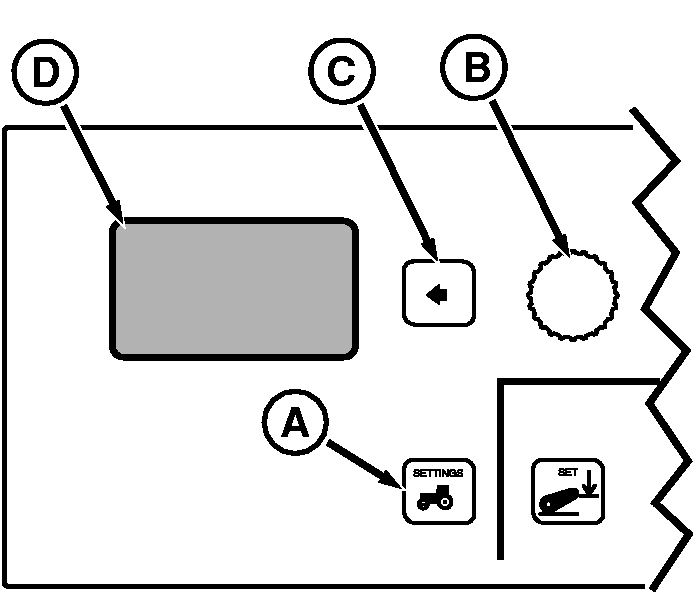
Setting Clock and Service Alarm IntervalPress vehicle Settings Switch (A) to view menu items on Display (D). Rotate Command Dial (B) to highlight desired menu item and press Select Switch (C). Menu Items on Display (D)
Service Interval: Alarm interval is adjustable between 0 and 1000 hours, in 10-hour increments. When hours of operation reaches setting, service alarm will sound with a corresponding message appearing on the CommandCenter display. After service is performed, Hours-Since-Service display should be reset to zero. |
|
OURX935,0000634 -19-04AUG06-1/1 |