Adjusting Load/Depth Control (Draft Response)
NOTE:
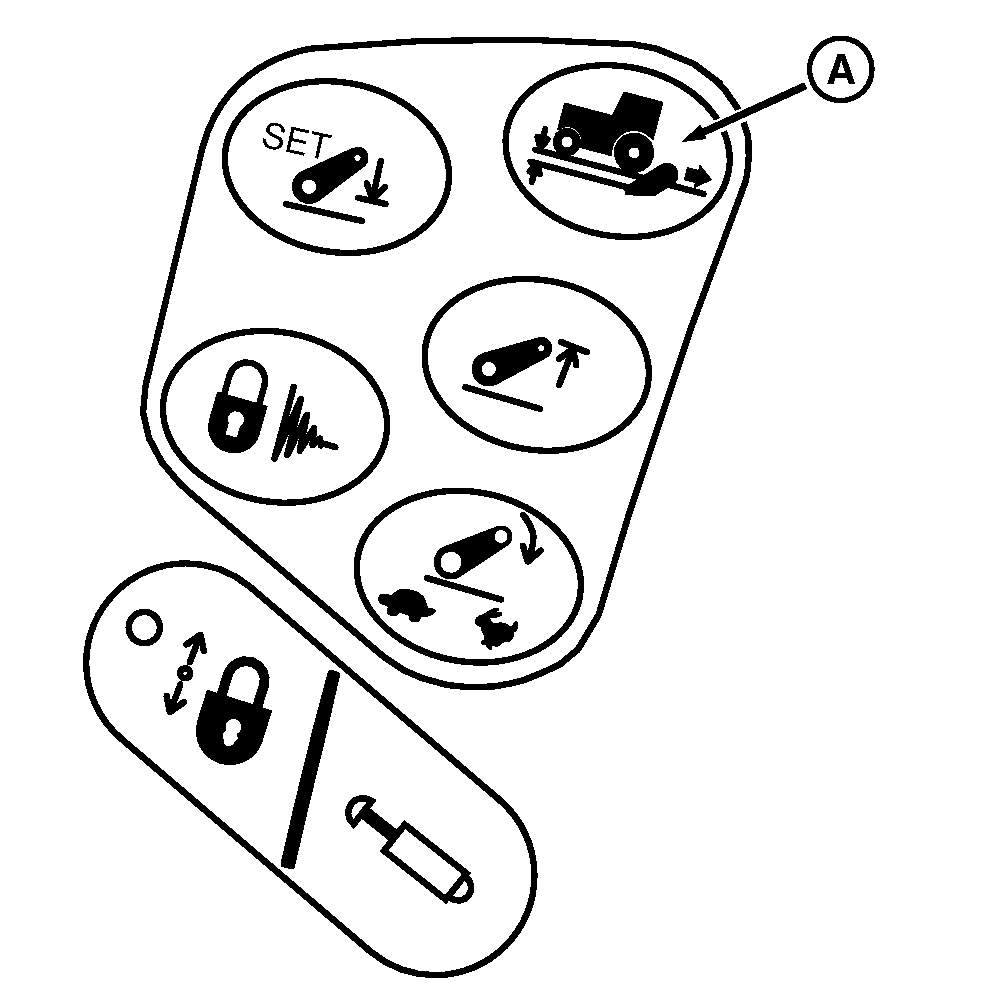
RXA0099156-UN-25SEP08
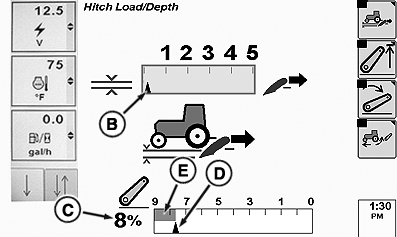
RXA0101378-UN-01APR09
A - Load Depth Settings Shortcut Button
B - Draft Response Settings Indicator
C - Hitch Position Value
D - Commanded Depth Indicator
E - Stored Depth Setting Bar Graph
Load/depth adjustment changes draft responsiveness only. Operating depth is set with hitch lever.-
Press Load/Depth shortcut button (A).
-
Rotate thumb wheel and observe draft response setting indicator (B).
- Zero draft response provides “position” control (See Using Position Control.)
- Higher settings are used for “draft” control (See Using Draft Control.)
- Changes to response setting take place immediately.
|
OURX935,0000135-19-20101104 |