Using Float Operation
Implements that fully rest on gauge wheels to control depth, require that the hitch float to follow ground contour.
RXA0102832-UN-05JUN09
Hitch Load Depth
RXA0101733-UN-07APR09
Hitch Load Depth
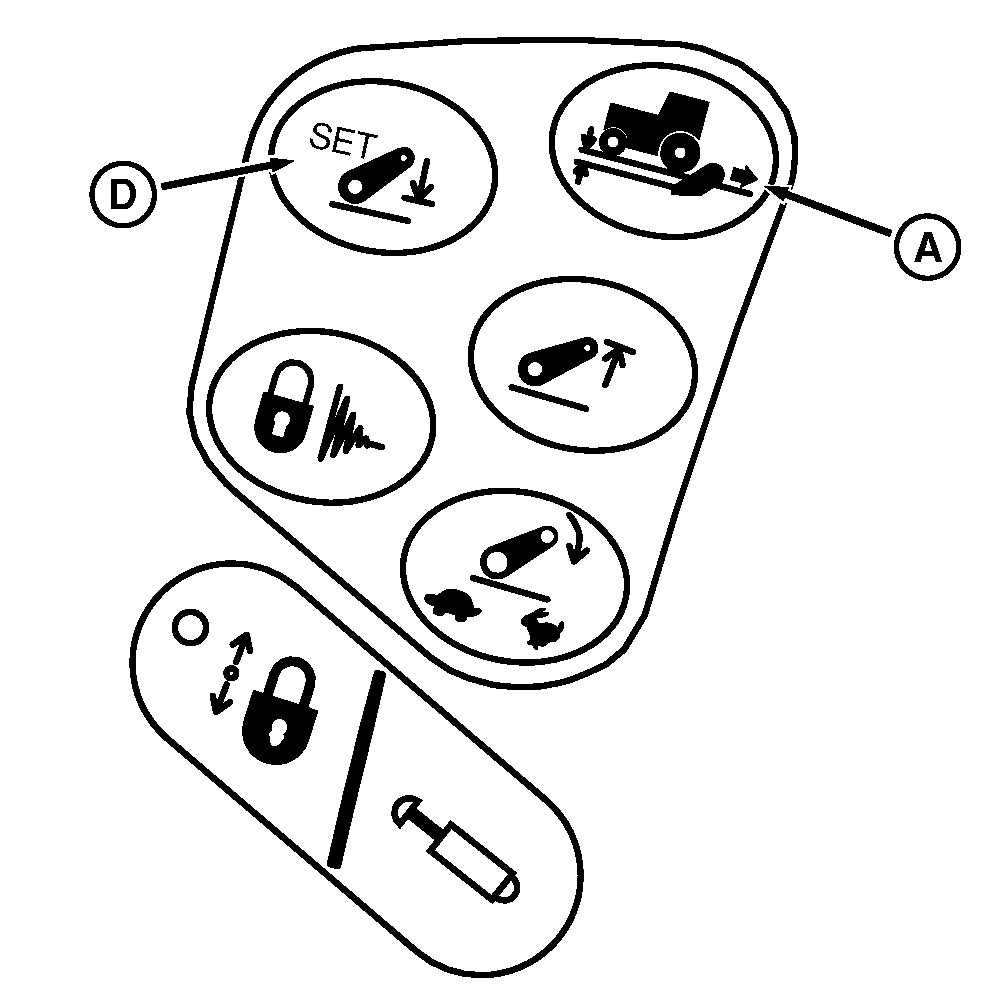
A - Load/Depth ShortcCut Button
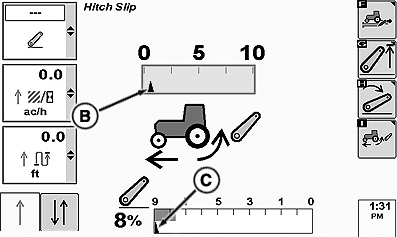
B - Load/Depth Setting Indicator
C - Commanded Depth Indicator
D - Hitch Lower Limit ShortcCut Button
-
Press Load/Depth shortcut button (A).
-
Turn thumb wheel to set load/depth setting indicator (B) to a minimum position.
-
Hold hitch lever forward until commanded depth indictor (C) is full down to 9 on the bar graph.
-
Press hitch lower limit button (D) to save full down as stored depth setting.
-
Lift links can be adjusted for lateral float. See changing Lateral Float in this section.
|
OURX935,0000139-19-20101104 |